Use cases
Link building for agencies
Agencies buy links for a dozen clients in a dozen niches, then have to explain every one of them in a monthly report. Rankticker keeps each client in its own project, with its own budget, rules and record of what went live.
Find publishers in this nicheSee how it works
The problem
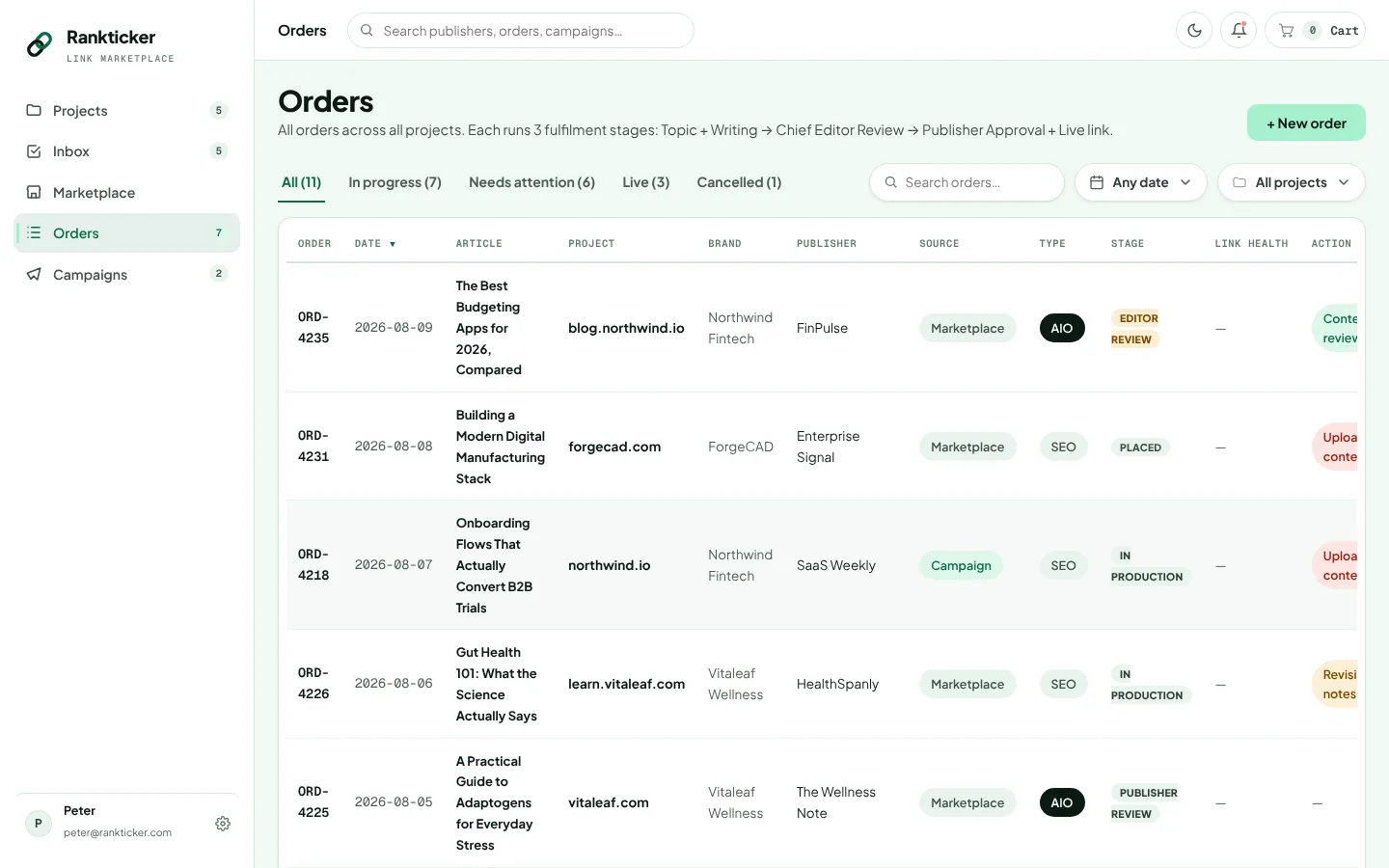
What breaks when an agency buys links at scale
Ten clients is manageable in a spreadsheet. Thirty is not. Somewhere around the point where an account manager is cross-checking a vendor's Google Sheet against a client's anchor plan at 11pm on the last day of the month, the process starts costing more than the links.
The common failure points are familiar to most agency owners. A vendor reuses the same tired network of sites across every client, so a law firm and a dog food brand end up on the same blog. Links vanish after three months and nobody notices until the client's in-house SEO does. Margins get squeezed because the price per link isn't fixed until the invoice arrives. And clients in finance or health want to sign off copy, which turns a two-week turnaround into six.
White label link building only works if you can see all of that per client and keep the client's view clean. Which, honestly, is mostly an admin problem.
Workflow
How agencies run clients in Rankticker
One project per client site
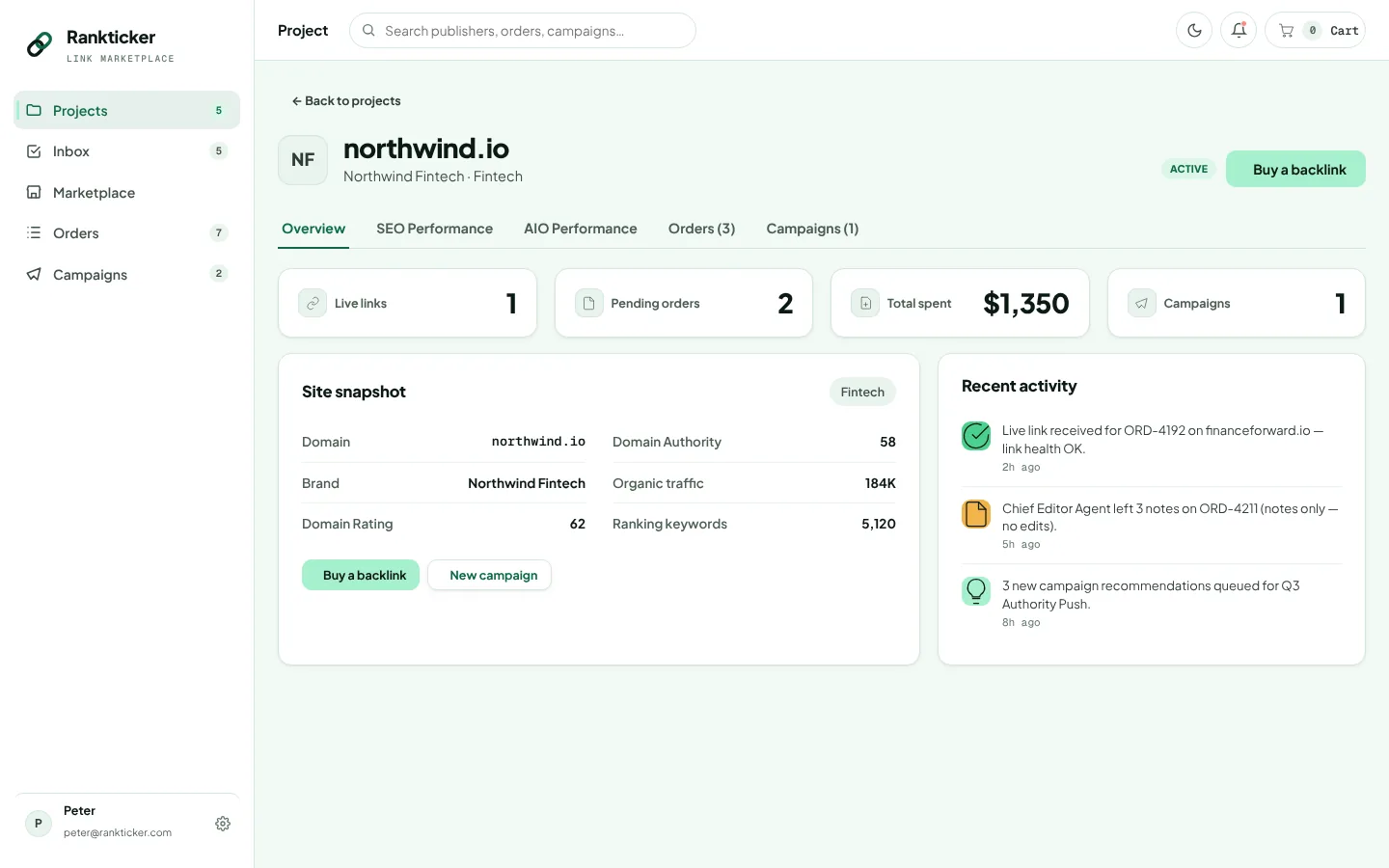
Each project holds its own orders, live links, spend, campaigns and tracking. A client with a UK site and a US site gets two projects, so the reporting never blends.
A campaign per objective
Set a monthly budget, target URLs, anchors, keywords, geo, niche and a max cost per link. Some agencies run one backlink campaign and one AI visibility campaign per client, with separate budgets.
Semi-auto approvals
Rankticker recommends publishers and shows why each was picked. You approve, decline, or send the shortlist to the client first. Nothing is ordered without a yes.
Content sign-off
Each order shows the article in an editor with comments. Share it with the client, collect changes, request a revision, then let it go to publisher review.
Monitoring and reporting
The Live Link Tracker keeps checking each link after it goes live. Project overview, SEO and AIO tabs give you the figures for the monthly report.
Margin control
Know your cost before you quote
Every listing shows a "from" price per format before you order, and each campaign has a max cost per link. So the cost of a client's month is set by rules you wrote, not by what a vendor decides to charge. Your client pricing is between you and the client.
The project overview shows spend, pending orders and live links for that client in one place. If a retainer includes a set link budget, you can see on the 20th whether you're on track or about to overspend.
Price-sensitive accounts suit auto mode with a tight cost cap and a DR and traffic floor. High-value or regulated accounts suit semi-auto, where someone senior looks at every pick.
Example only: an agency with a regional dental group as a client. Objective: improve backlink profile. Monthly budget £1,200 to £1,800. Geo: United Kingdom, with local news in the group's towns. Targets: four treatment pages and two practice location pages. Anchors: mostly practice names and URLs, some "dental implants in Leeds" style phrases. Max cost per link £220. Filters: health niche, English, DR 20+, organic traffic 1,000+. Mode: semi-auto, client approves the shortlist monthly. Illustrative figures, not a quote.
Day to day
The Inbox keeps account managers honest
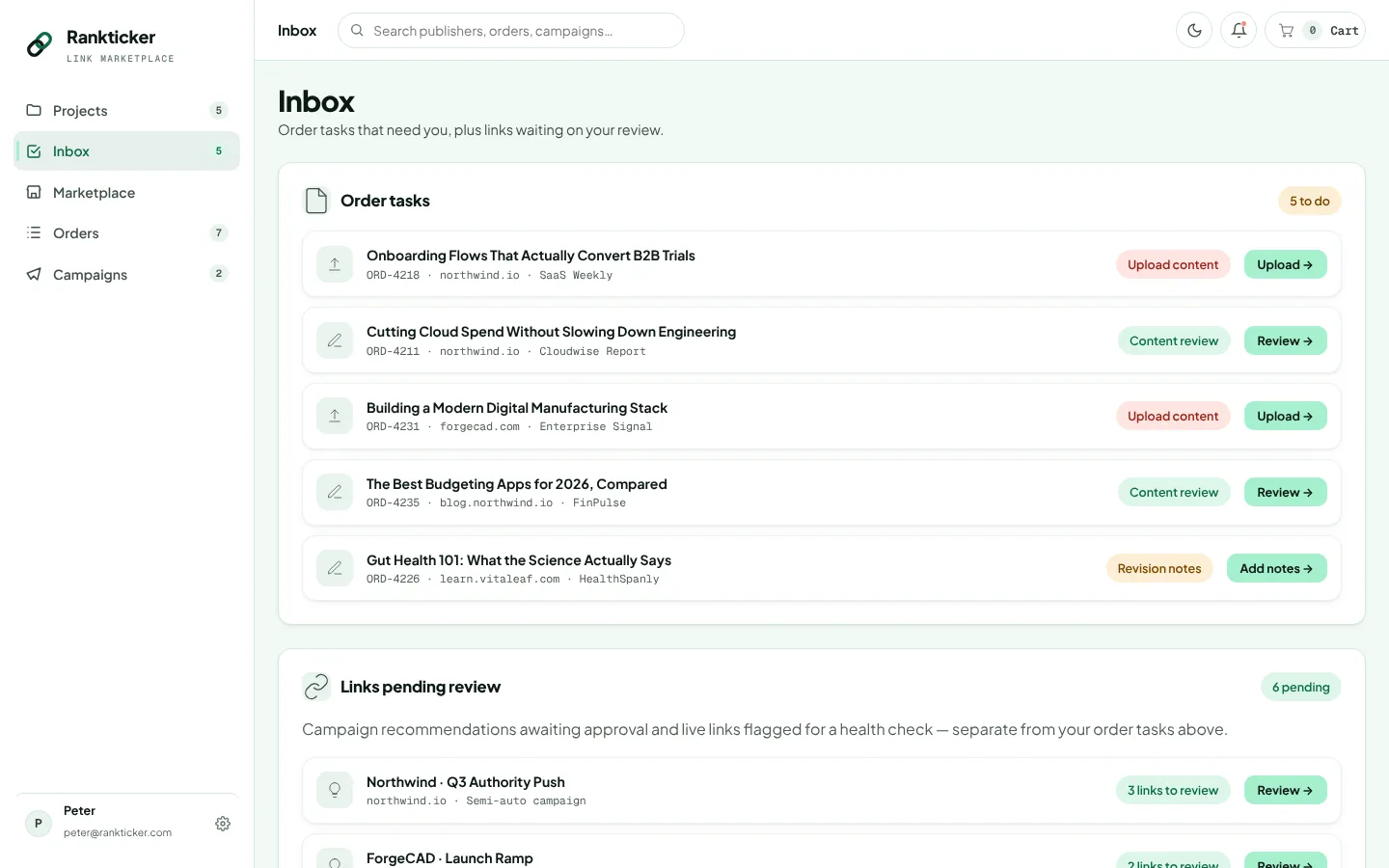
The Inbox collects everything waiting on you across all projects: content to upload, drafts to review, notes a publisher needs, and links the health checks have flagged. For an agency that is the morning list. Filter orders by "needs attention" and you can see which client is blocked and why.
Because the tracker re-checks the anchor, the redirect to the target, indexing and the dofollow attribute, a quietly edited link shows up here instead of in a client's audit.
Reselling
What the client sees, and what they don't
Your client sees an article on a real publication with their link in it, plus whatever report you send. The marketplace, your cost per link and the shortlist you declined stay on your side. Rankticker invoices your agency, and you bill the client on your own terms.
The part clients do notice is quality. Would you be happy if the client opened every site on this month's list? If the answer is no for one of them, decline it. Before approving, check each publisher's spam score, TF:CF ratio and sponsored-outbound share; a blog where most outbound links are paid is the same network problem with a nicer theme. Our guide to spotting PBNs and link farms covers the rest. You can also compare shortlisted publishers side by side, which helps when two clients in related niches are competing for the same small pool of good sites.
AI visibility
A service line clients are already asking about
The question in client calls has shifted from "where do we rank" to "do we come up when someone asks ChatGPT". Each project's AIO Performance tab tracks the prompts you choose, the client's share of voice, citation share and answer sentiment by engine, plus the publications AI engines cite in that niche. That gives you a baseline to sell against and something to show each month.
Be careful what you promise, though. We think this is where agencies get burned most in 2026. AI answers vary by prompt wording, location and engine, and nobody controls them. Sell the work (accurate coverage on cited sources) and report the trend. Our AI visibility page covers how the tracking works.
Agency checklist
- Create a project per client website, not per client
- Set a max cost per link on every campaign so margins hold
- Use semi-auto for regulated or high-value clients
- Get client sign-off on copy for finance, health and legal accounts (see our fintech and health pages)
- Check "grey niches accepted" before shortlisting for gambling, CBD or crypto clients
- Work the Inbox daily and act on flagged links before reporting day
- Keep paid links marked rel="sponsored" or rel="nofollow", as Google's spam policies ask, and tell clients plainly that no one can promise rankings
Set up your first client project Talk to us about agency volume
FAQ
Questions about white label link building
Can I resell Rankticker placements to my clients?
Yes. You buy placements at marketplace prices and charge your clients whatever your agreement with them says. Rankticker invoices you, not your client.
How do I keep each client separate?
Create one project per client website. Each project has its own campaigns, orders, spend, live links and SEO and AIO tracking. A client with several sites gets several projects.
Can clients approve placements before I buy them?
Run the campaign in semi-auto mode. Rankticker recommends publishers with the reasons for each pick, and nothing is ordered until you approve. Many agencies share that shortlist with the client before approving.
What happens if a client's link disappears?
The Live Link Tracker keeps checking each live link for the page, the anchor, the redirect to the target and the link attribute. Problems show up in your Inbox and on the order, so you can raise them before the client notices.
Do you take grey-niche clients?
Some publishers accept grey niches such as gambling, CBD or crypto, and each publisher profile says which. Filter on that before you build a shortlist for those clients.
Keep reading
Related
Link building for SaaS
Link building for SaaS: which publications move comparison and feature pages, how to set anchors, and how to get cited when buyers ask AI for software…
Local link building for small businesses
Local link building for small businesses in the UK: Google Business Profile, citations, local news, community links, anchors and a sample campaign.
How to measure link building ROI: a framework for SEO and AI visibility
How to measure link building ROI: leading vs lagging indicators, referring domains, rankings, traffic, conversions, AI share of voice and attribution …
How to evaluate a backlink in 2026: the signals that matter
How to evaluate a backlink in 2026: relevance, real traffic, TF:CF, outbound links, indexation, placement, anchor, attribute, permanence and AI citati…
Campaigns
Rankticker product tour
See the publishers before you spend a penny
Filter real publications by niche, DR, traffic and price. Every metric and the full price are on the listing.