Choose which emails you get
Pick which Rankticker emails you receive, turn a whole group off, and unsubscribe from a single email type straight from the email itself.
Rankticker emails you as your orders move along. You decide which of those emails you want.
Click your name at the bottom of the sidebar to open Settings, then click the Notifications tab. The top line shows which address the emails go to.
Use the switch next to an email to turn it on or off. The change is saved straight away.
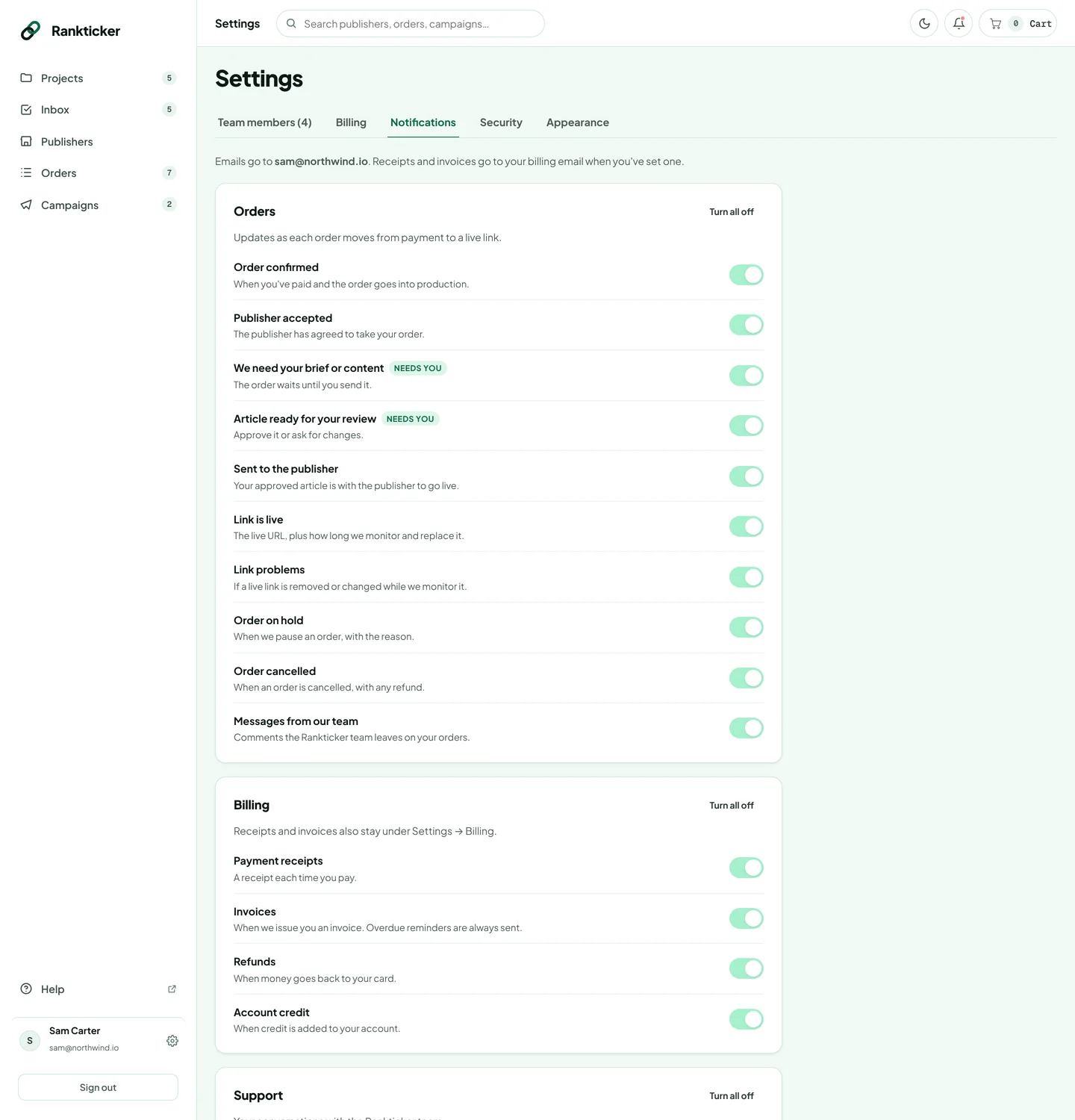
To switch off a whole group, click Turn all off at the top of it (or Turn all on to switch it back).
The groups
| Group | Emails |
|---|---|
| Orders | Order confirmed, publisher accepted, we need your brief or content, article ready for your review, sent to the publisher, link is live, link problems, order on hold, order cancelled, and messages from our team. |
| Billing | Payment receipts, invoices, refunds and account credit. Receipts also stay under Settings → Billing. |
| Support | Confirmation when you contact us, and our replies. |
| News from Rankticker | Product news and link-building tips, once or twice a month at most. Off unless you turn it on. |
Emails marked Needs you (content needed, article ready for review, support replies) are the ones that hold up an order if you miss them. If you turn them off, check your Inbox regularly instead.
Always sent
Some emails keep your account safe and your payments in order, so they can't be turned off: sign-in codes and password resets, security alerts (password, email or two-step verification changes) and overdue payment reminders.
Turn off an email from your inbox
Every email has a Turn off these emails link in its footer. It opens a page where you confirm with one click, without signing in. The footer's Email settings link opens the full list.
Want receipts and invoices sent to a different address, such as your accounts team? Change the billing email in Settings → Billing. See Update your billing details.
Thanks for letting us know.
Sorry about that. Tell us what was missing at hello@rankticker.com and we'll improve it.