Use a discount code
Where to enter a discount code, what the error messages mean, and how the discount shows on your receipt.
Go to checkout. In the order summary on the right, click Add discount code.
Type the code and click Apply (or press Enter). Codes aren't case-sensitive.
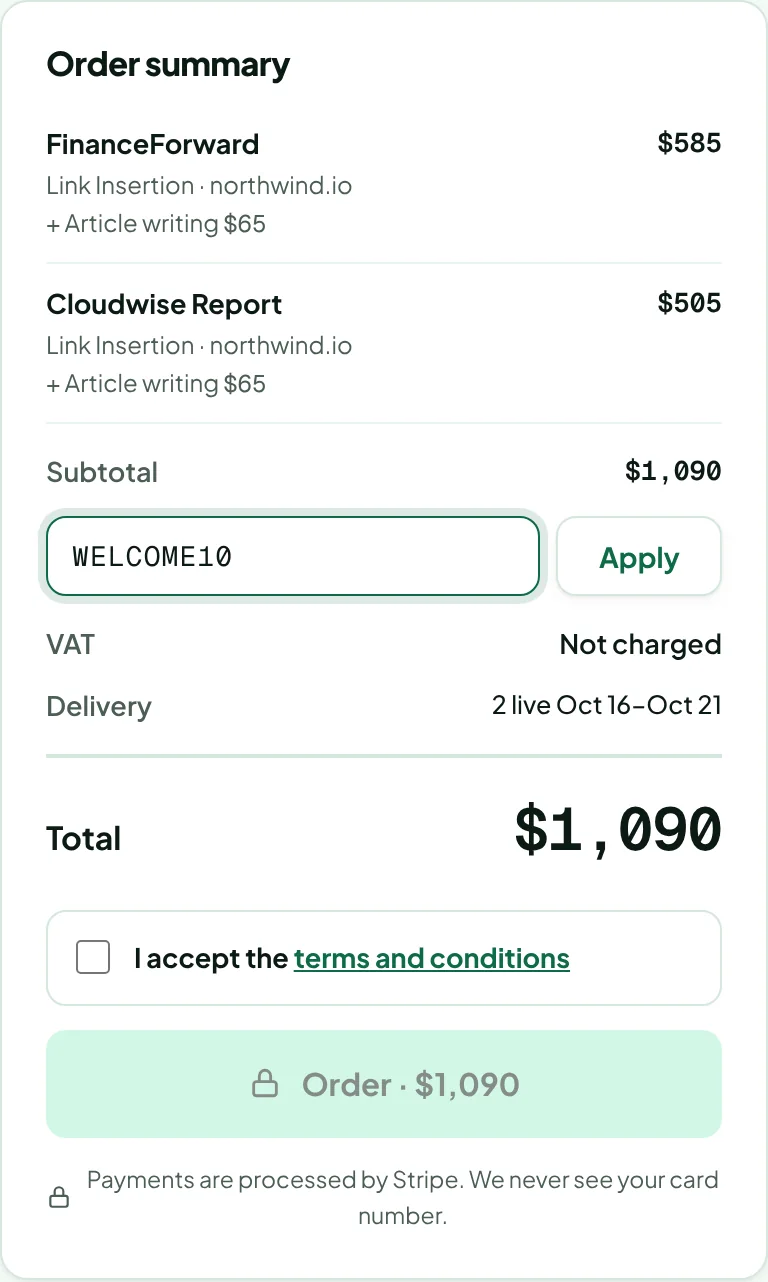
The discount appears as its own line, and the total and the Order button update.
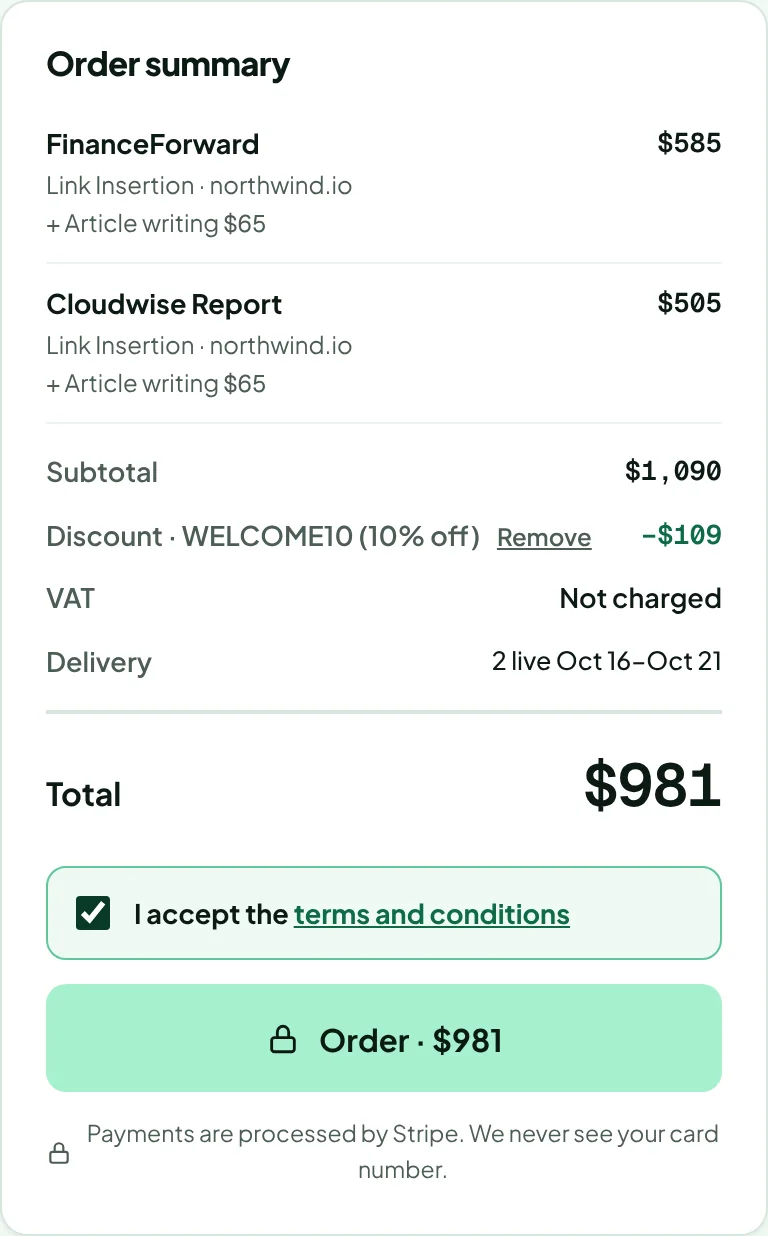
To take a code off, click Remove next to it. One code can be used per order.
If the code doesn't work
A message under the code field explains why. The usual reasons:
- The code isn't valid: check the spelling. Some codes only work for specific accounts.
- A minimum order: the summary shows “CODE applies to orders of $X or more”. Add a placement or an option, and the discount applies automatically.
- Expired or used up: the code has passed its end date, reached its total number of uses, or you've already used it as often as allowed.
If a code stops working between applying it and paying, it's taken off with the reason shown, and nothing is charged until you press Order again.
The discount is listed on your receipt.
Thanks for letting us know.
Sorry about that. Tell us what was missing at hello@rankticker.com and we'll improve it.