Review and approve a draft
Open the draft our writers wrote in Google Docs, leave comments, and approve it so the order moves to the publisher.
When the first draft lands, the order's Written content card shows a link to the document, and if your approval is needed you'll get a Content review task in your Inbox.
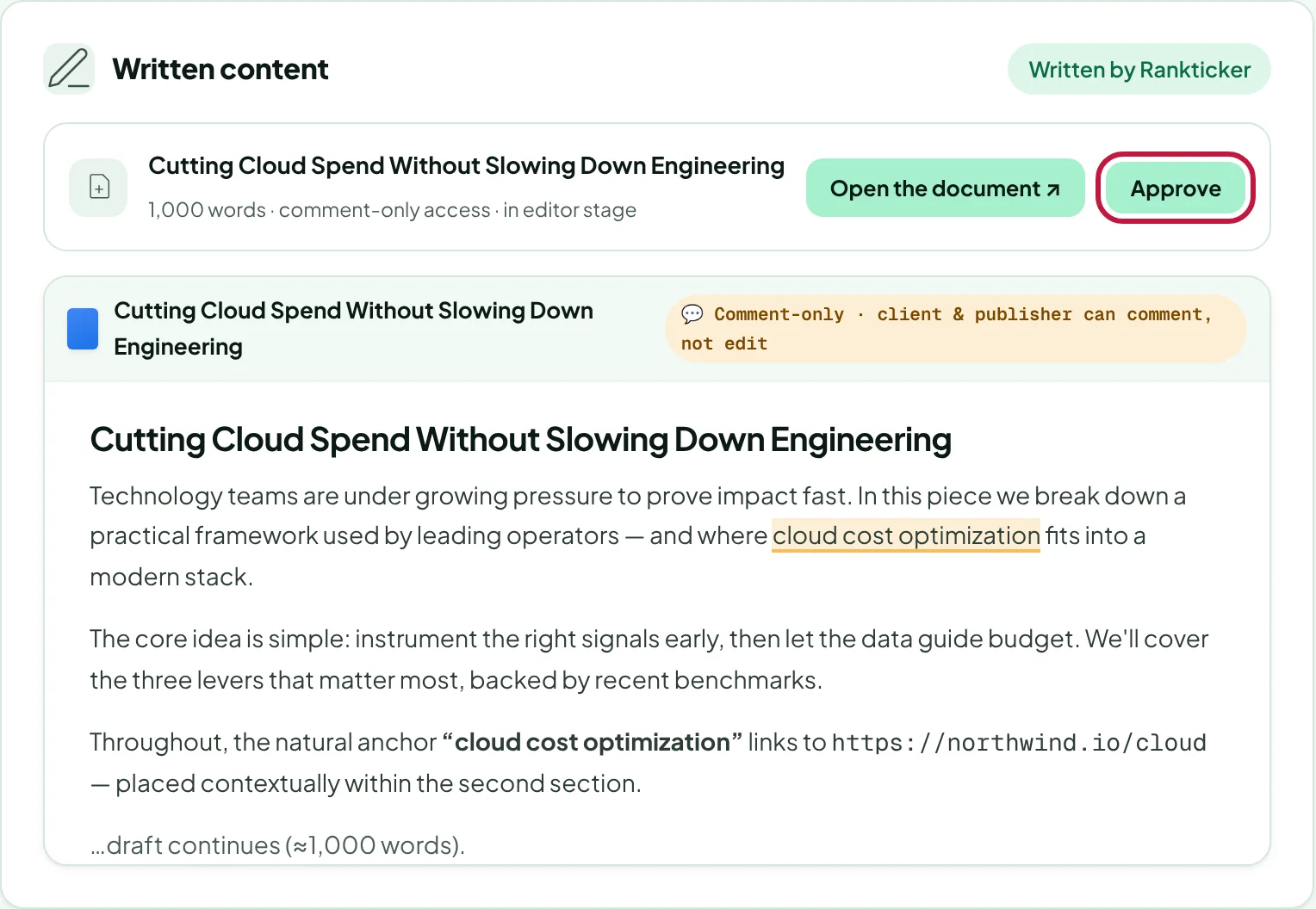
Open the order and find Written content. As soon as the first draft is ready, a link to it in Google Docs appears there. Only the Rankticker team can change that link.
Click Open the document ↗ to read the full draft in Google Docs. You and the publisher have comment-only access: highlight text to comment, and the writer makes the edits.
Happy with it? Click Approve. The order moves on.
Not happy with it?
- For small fixes, comment in the Google Doc or on the order (how).
- For a rewrite, request a revision if your order includes one.
Before the draft is written, the card says Draft not written yet. A writer is assigned at the start of production, and the link appears as soon as the first draft is in.
Thanks for letting us know.
Sorry about that. Tell us what was missing at hello@rankticker.com and we'll improve it.