Review and approve recommendations
In a Semi-auto campaign, check each recommended publication, confirm the brief and approve it, or decline it and get a replacement.
New recommendations show up on the campaign's Recommendations tab and under Links pending review in your Inbox.
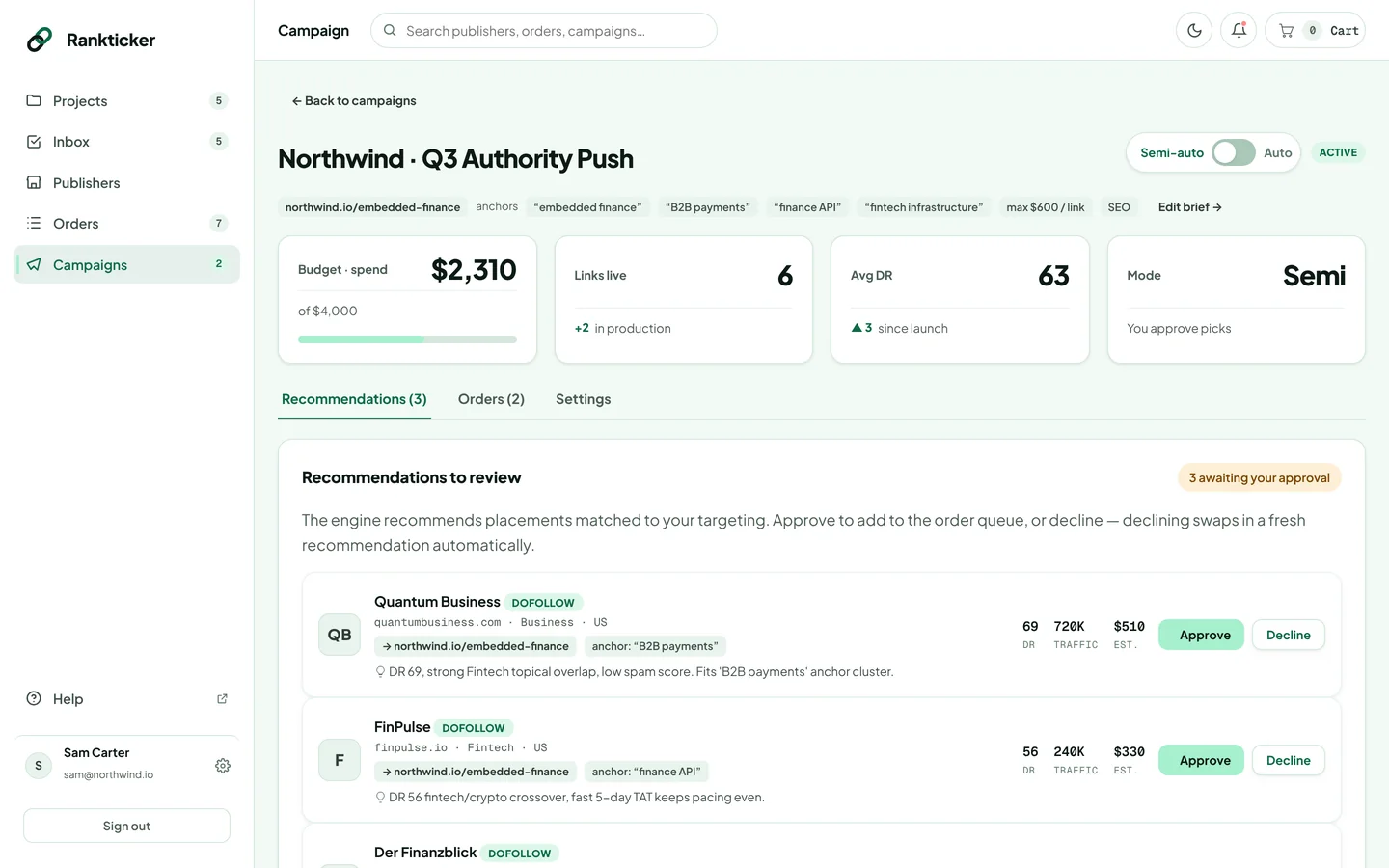
Read a recommendation
Each card shows the publication, its link type, category and country, the target URL and the anchor it would use, why it was picked, and its DR, traffic and estimated price. Want a closer look? Open the publication in the marketplace and run its risk check.
Approve
Click Approve.
The Confirm placement dialog opens, prefilled from the campaign. Check the article type, target URL and anchor text, and the content options. This is exactly what the writer and publisher receive.
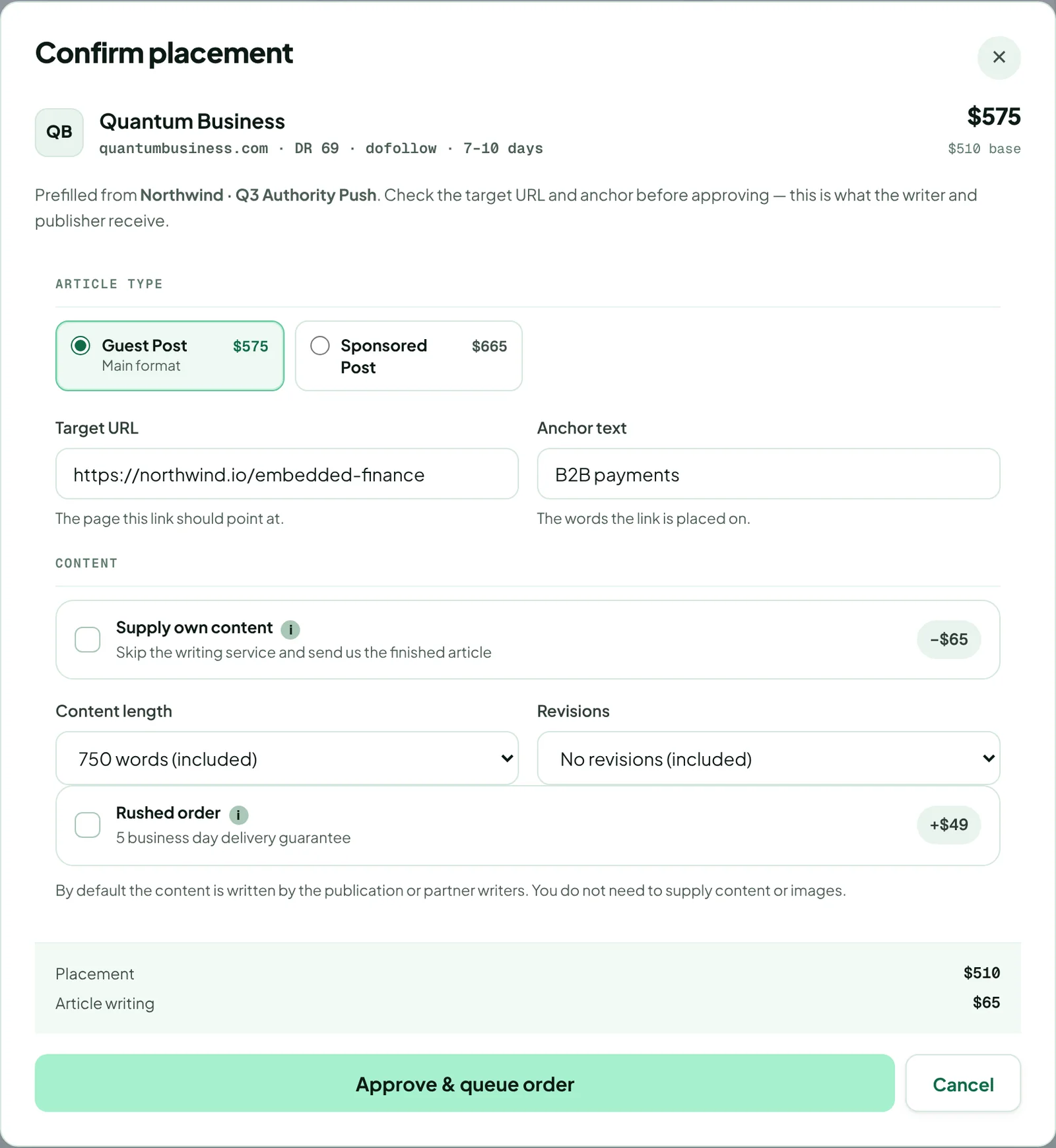
Click Approve & queue order. The placement is queued for ordering and moves to Approved this cycle; the campaign's spend and in production count go up.
Decline
Click Decline. The card is removed and a fresh recommendation is swapped in automatically to keep the queue full.
Tired of approving every pick? Switch the campaign to Auto.
Thanks for letting us know.
Sorry about that. Tell us what was missing at hello@rankticker.com and we'll improve it.