Preview a publisher without leaving the list
Expand a row in the marketplace list to see traffic history, audience countries, authority, traffic sources and every format with its price.
In List view, click anywhere on a row (or select it and press Enter) to open a preview under it. Click the row again to close it. One preview is open at a time.
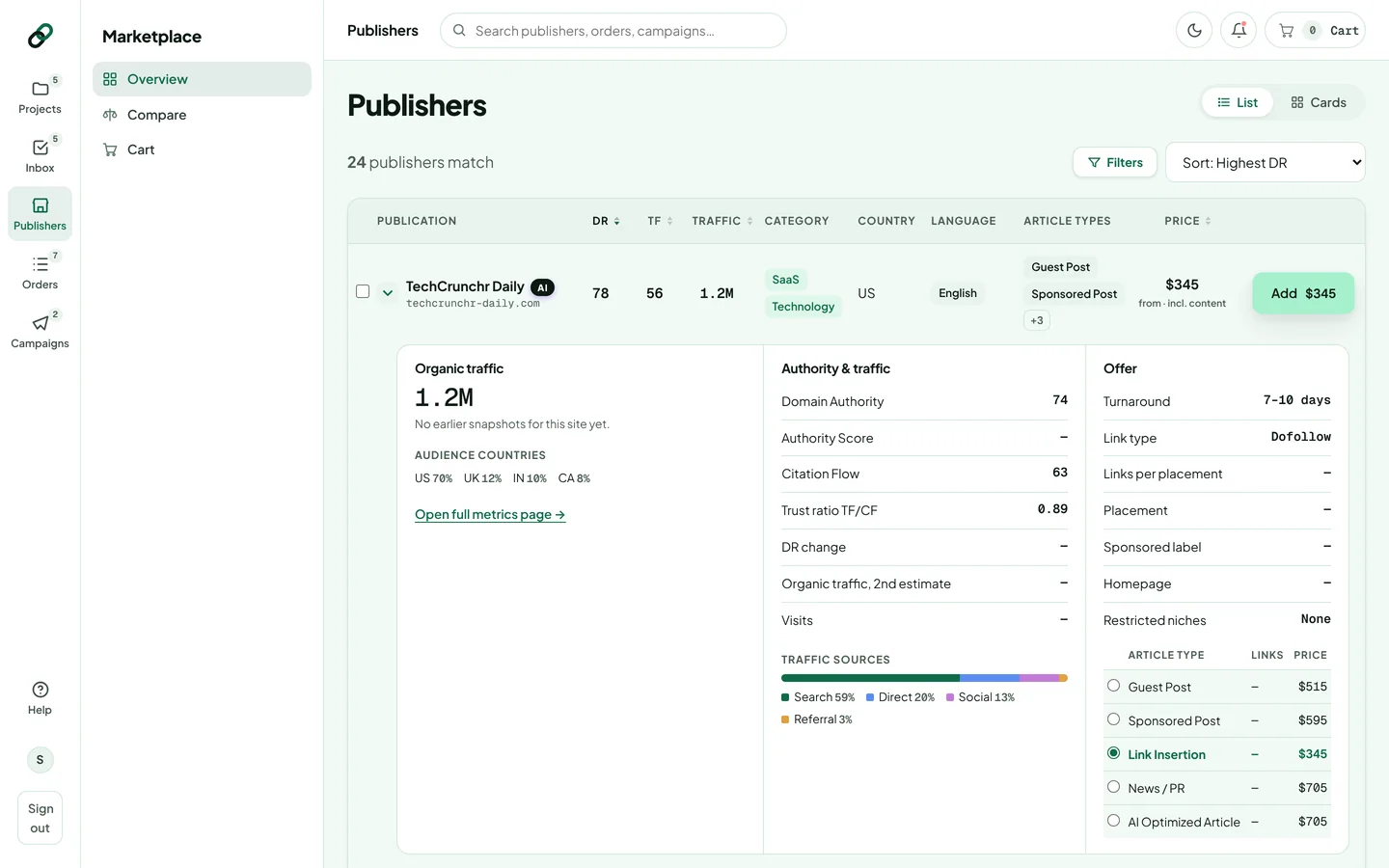
What the preview shows
- Left: traffic. Organic traffic with its trend (switch between Organic, Visits and DR when there's history), and the audience's top countries.
- Middle: authority & traffic. Domain Authority, Authority Score, Citation Flow, the TF/CF ratio, DR change, a second traffic estimate, visits and traffic sources (search, direct, social, referral).
- Right: the offer. Turnaround, link type, links per placement, whether the placement is permanent, whether it's labelled as sponsored, homepage exposure and restricted niches, plus a table of every format with its price.
Pick a format and add it
Choose a format with the radio buttons in the offer table, then click the Add button on the row. The price on the button follows your choice, and the format is preselected in your cart. You can still change it at checkout.
A Trust Flow shown in amber means Trust Flow is under half of Citation Flow: links to the site may be more numerous than trustworthy. Open the risk check before buying.
Need more detail? Click Open full metrics page → to open the publisher's metrics page.
Thanks for letting us know.
Sorry about that. Tell us what was missing at hello@rankticker.com and we'll improve it.