Order stages explained
What each stage of an order means, who's working on it, and what you can do at each point, including cancelling.
Every order, whether you bought it yourself or a campaign placed it, follows the same fulfilment timeline. You'll find it at the top of the order page. More on the process: order tracking in the product tour.
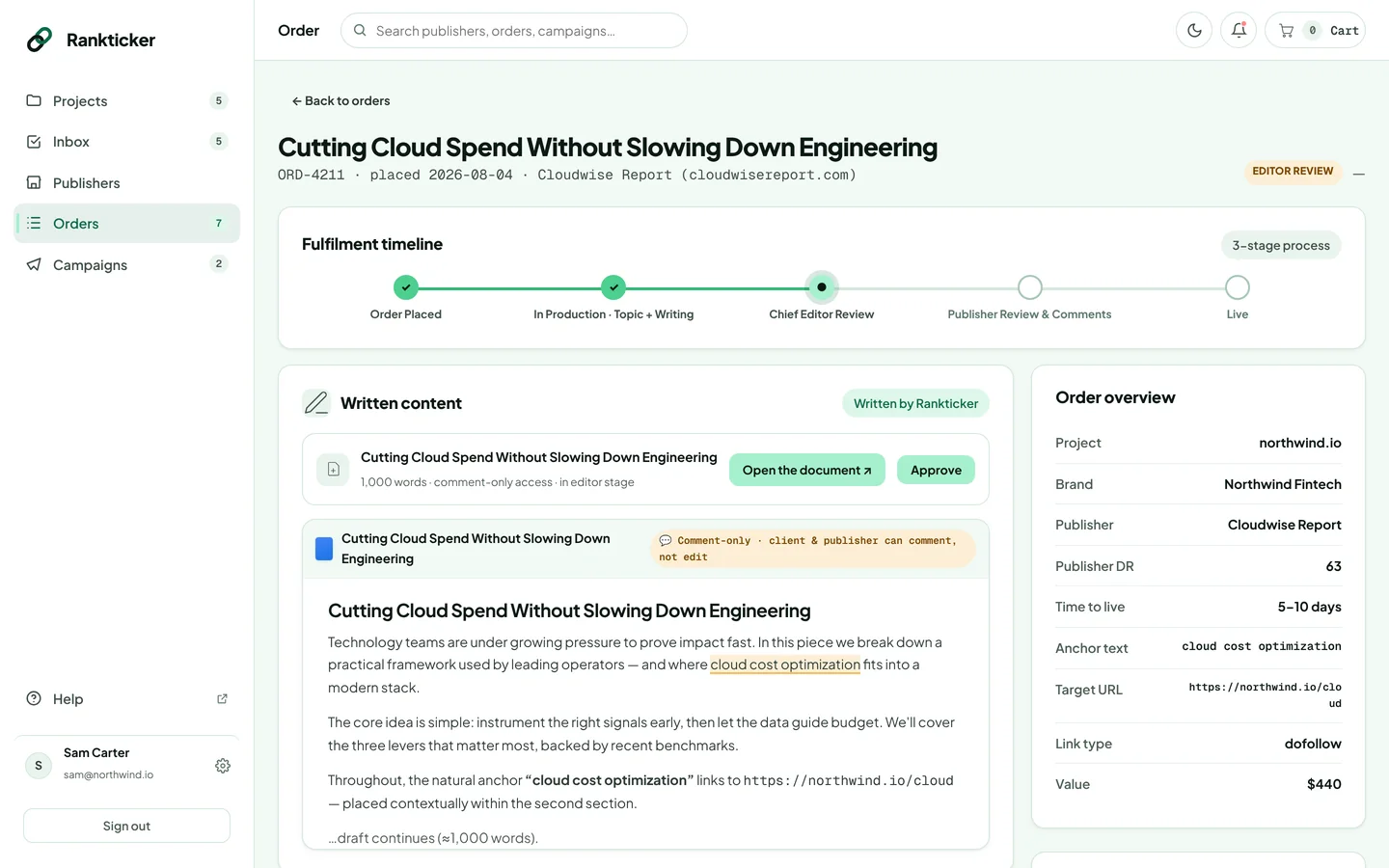
| Stage | What's happening | What you can do |
|---|---|---|
| Order Placed | Payment is through and the order is queued. | If you're supplying the article, upload it. |
| In Production · Topic + Writing | A writer locks the topic and writes the draft. | Comment on the order if you want to add context. |
| Chief Editor Review | Our chief editor checks the article against your brief and the publisher's guidelines. | Review and approve the draft, or request a revision. |
| Publisher Review & Comments | The publisher approves and schedules the article, and may comment. | Answer any questions in the comments. |
| Live | The article is published with your link. | Open the live URL and follow the Live Link Tracker. |
In lists, the stage appears as a label: Placed, In Production, Editor Review, Publisher Review, Live or Cancelled.
How long does it take?
Each publication lists its typical turnaround (for example 6–10 days) on its listing. The Live by range on the Order received page is based on it. A rushed order goes live within 5 business days, or we refund the rush fee. Supplying your own article late, or long revision rounds, push the date back.
Cancel an order
There's no cancel button, because what can be refunded depends on how far the order has got (a publisher may already have scheduled the article). Email hello@rankticker.com with the order ID (it starts with ORD-) as soon as possible. Cancelled orders show under the Cancelled tab in Orders. See Prices, VAT and refunds.
Thanks for letting us know.
Sorry about that. Tell us what was missing at hello@rankticker.com and we'll improve it.