Compare publishers side by side
Tick Compare on two to four publications to see price, DR, DA, traffic, turnaround, formats and link type in one table.
Tick Compare on a publication: on a card, in the first column of the list, or in the identity bar of its page. You can compare up to four at a time.
A bar appears at the bottom of the screen with your selection. Click ✕ on a thumbnail to drop one, or Clear to start again.
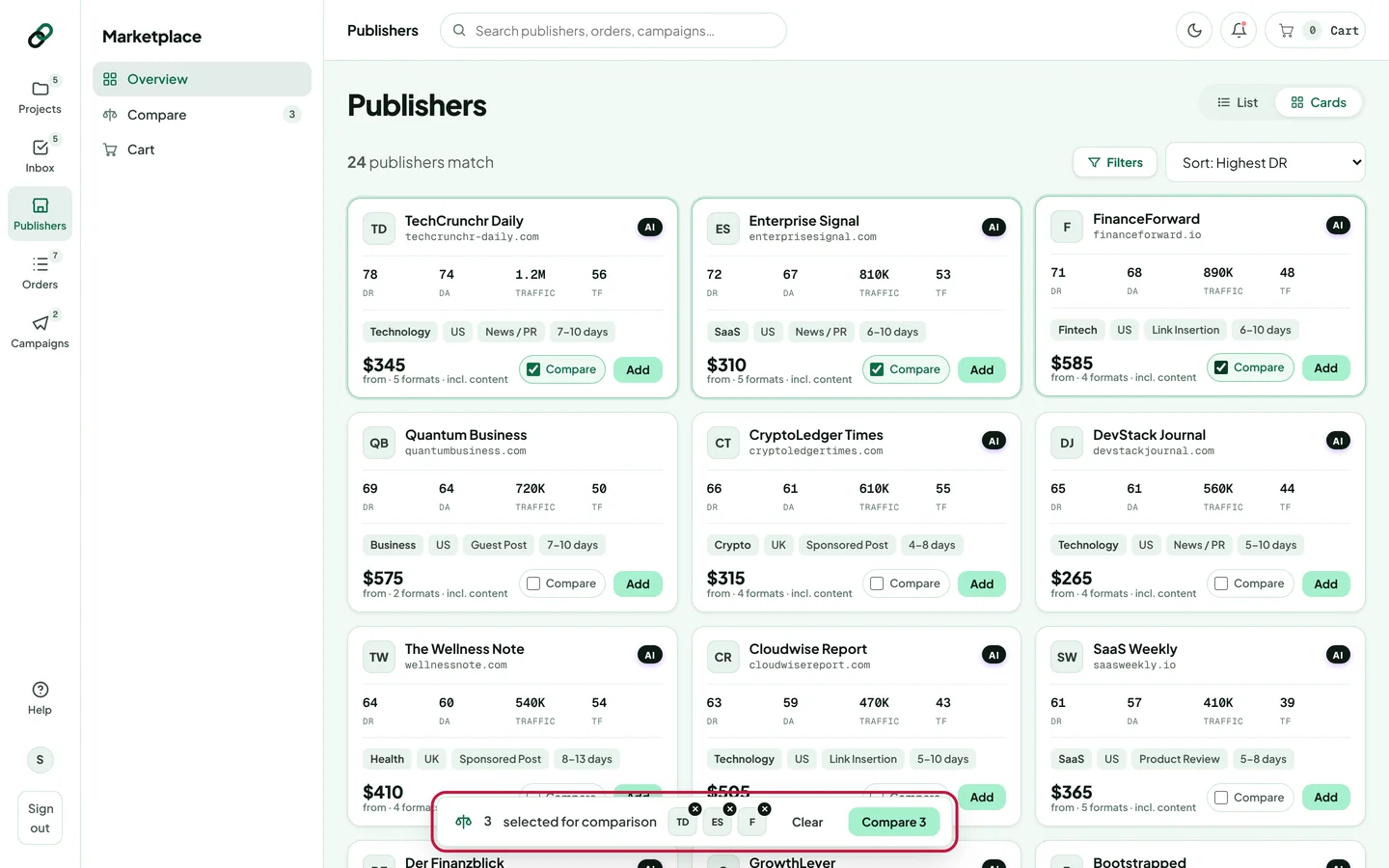
Click Compare 3 (the number follows your selection). You can also click Compare in the marketplace sidebar.
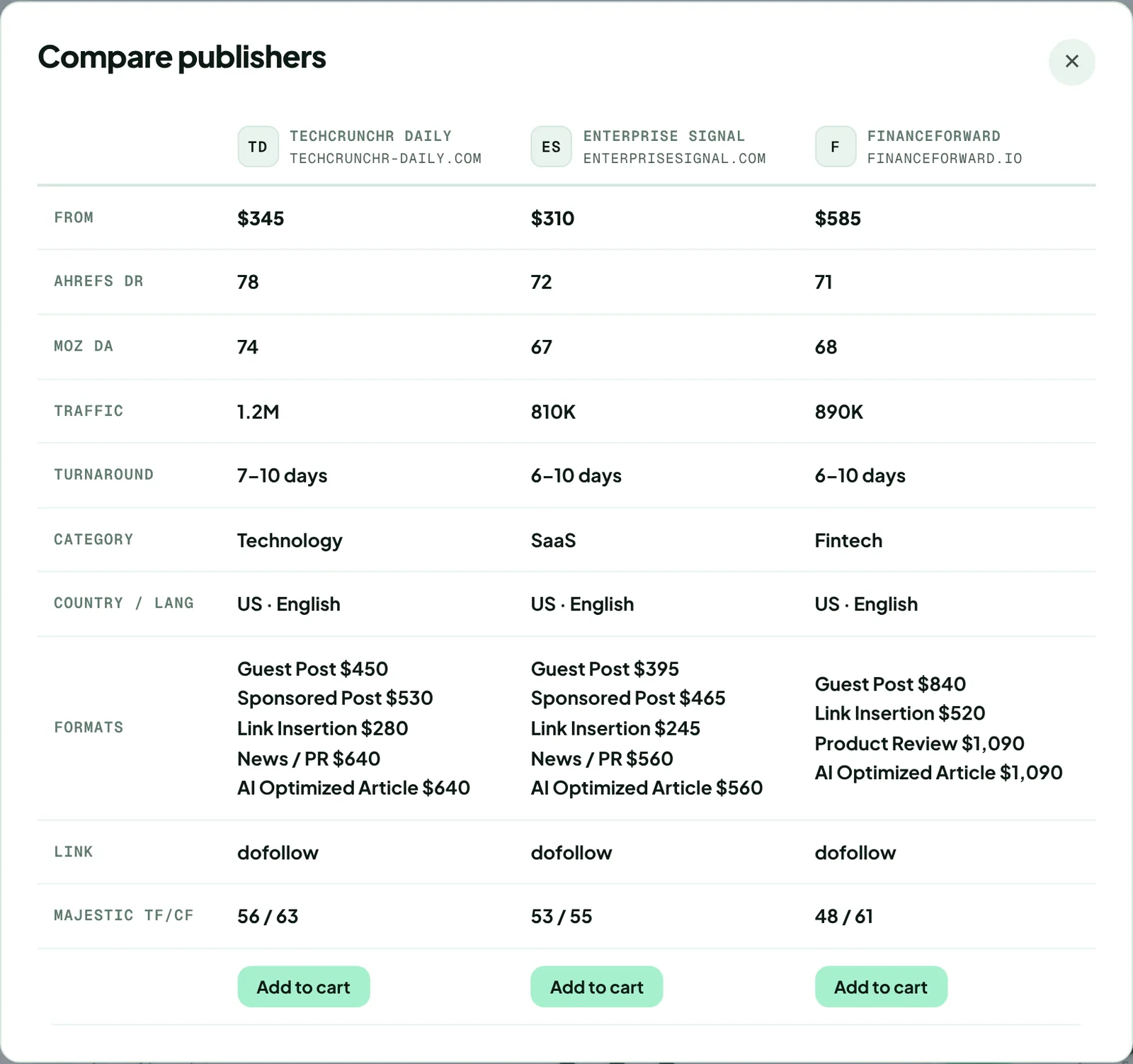
Read the table: starting price, Ahrefs DR, Moz DA, traffic, turnaround, category, country and language, formats with prices, link type and Majestic TF/CF. Click Add to cart under the one you want.
Compare needs at least two publications. Your selection is kept while you browse, so you can tick sites on different pages and filters.
Thanks for letting us know.
Sorry about that. Tell us what was missing at hello@rankticker.com and we'll improve it.