How campaigns work
A campaign spends a monthly budget on placements that match your brief and quality rules. Here's how recommendations, approvals and orders fit together.
Ordering one placement at a time works well for a few links. A campaign is for steady, monthly link building: you set the budget and the rules once, and the engine keeps finding publications that fit. More in the product tour.
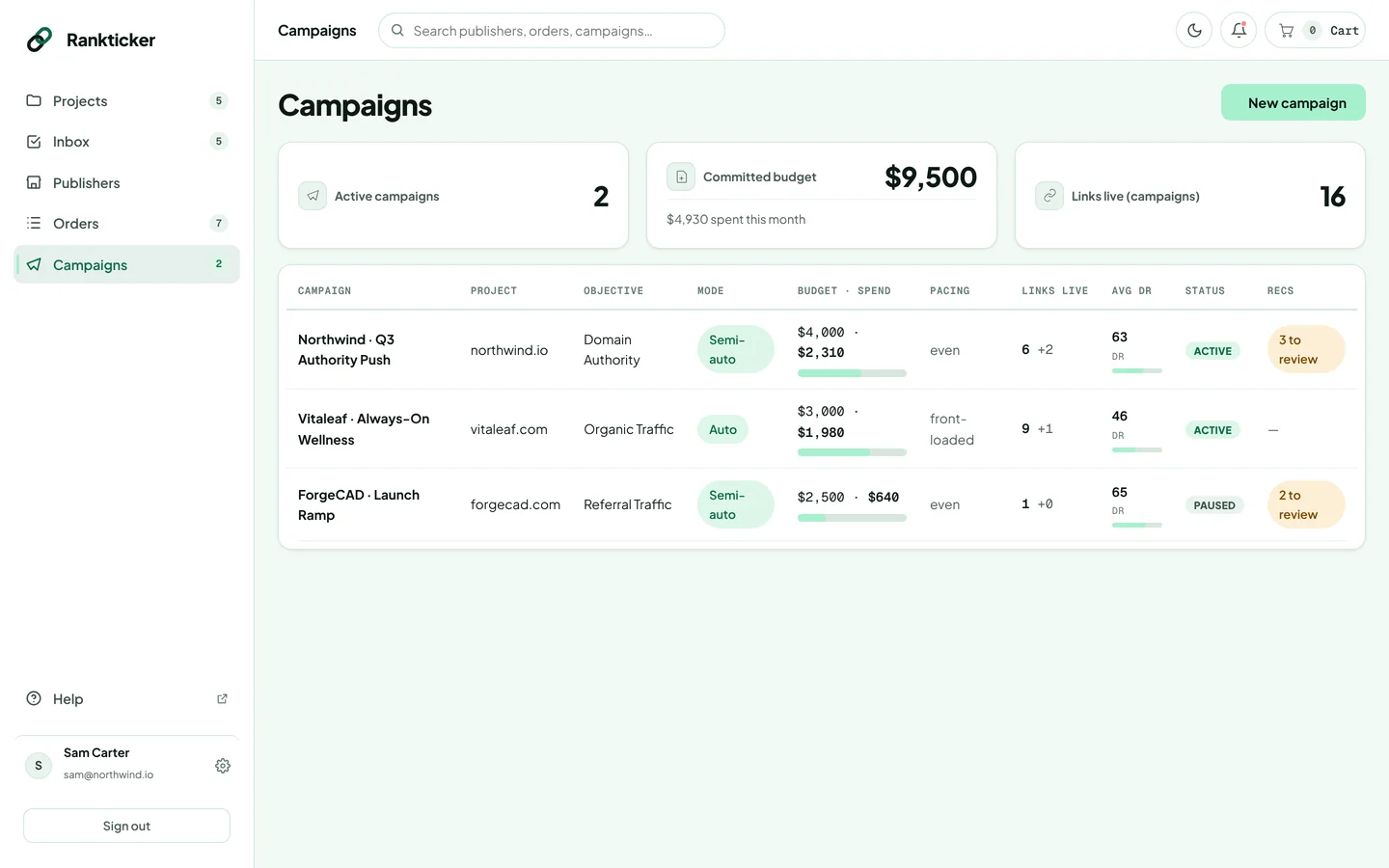
The building blocks
| Part | What it does |
|---|---|
| Goal | Improve Backlink profile (SEO) or Improve AI visibility. You can later choose to optimise for both. |
| Budget | A monthly budget and a maximum price per placement. Publications above that price are never recommended. |
| Brief | The target URL, a pool of anchor texts the engine rotates through, a content brief for the writer and target keywords. |
| Targeting and requirements | Niches, the audience country, and minimum DA, DR and traffic, a maximum spam score, and dofollow only. |
| Approvals | Semi-auto: you approve each recommendation. Auto: the engine places its picks within budget. |
What happens each month
- The engine recommends placements that match your targeting and pass every quality threshold, explaining why each one was picked. See how recommendations are chosen.
- In Semi-auto you approve or decline each one; declined picks are replaced. In Auto they're placed for you.
- Approved placements are ordered for you. They show on the campaign's Orders tab and in Orders (with Campaign as the source), and go through the usual stages.
- The campaign page tracks spend against budget, links live and in production, and the average DR.
Campaigns have no management fee: you pay for the placements.
During early access, campaign billing (a monthly charge to a saved card) is being set up with each customer. Email hello@rankticker.com before launching your first campaign and we'll get it running.
Thanks for letting us know.
Sorry about that. Tell us what was missing at hello@rankticker.com and we'll improve it.