Search and filter the marketplace
Use the filters, sorting and list or card view in Publishers to build a shortlist of publications that fit your site and budget.
Click Publishers in the sidebar to open the marketplace. Every listing shows its metrics and the full price up front. Learn more about the marketplace on the product tour.
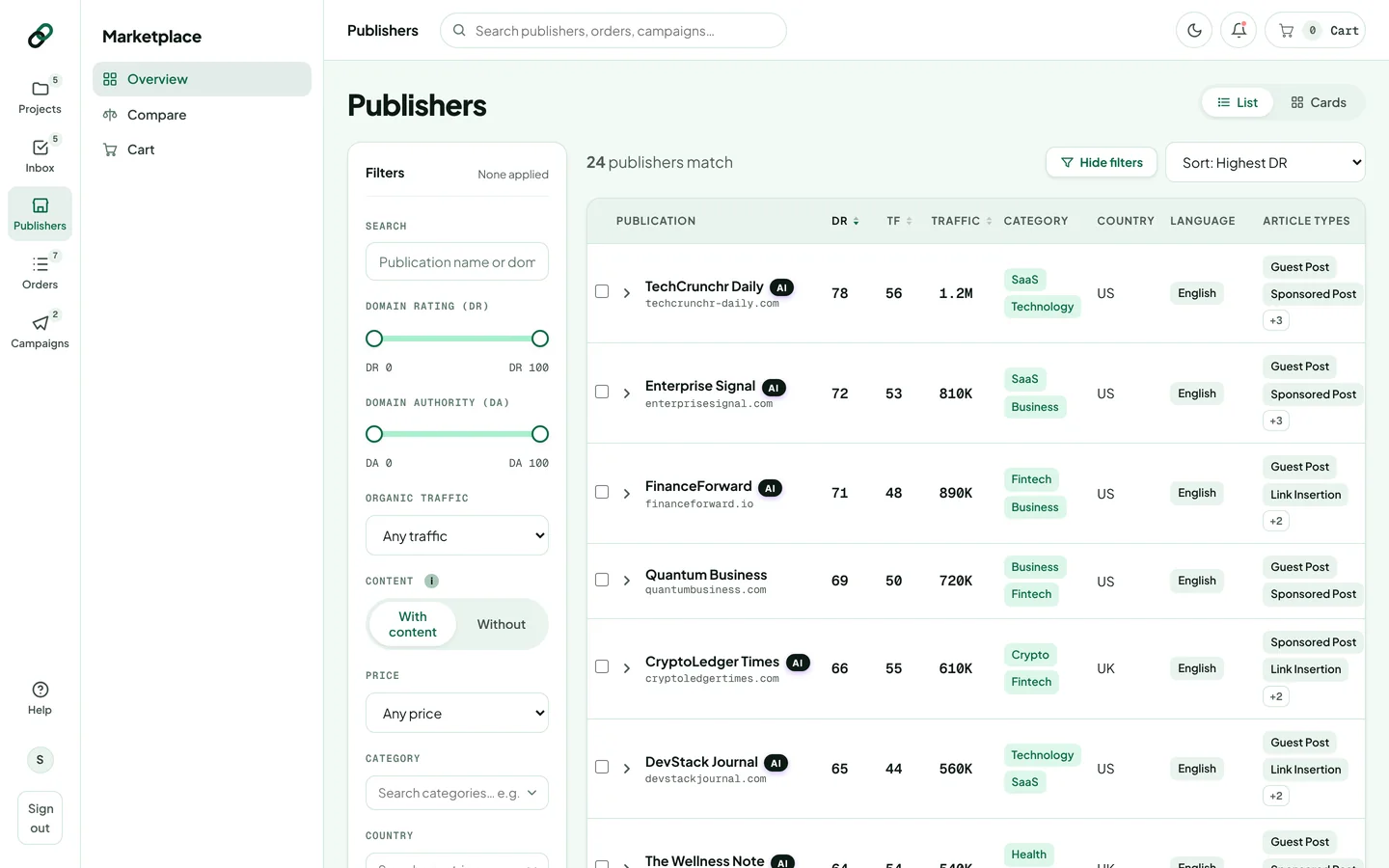
Filter the list
Click Filters to show or hide the filter panel. The button shows how many filters are on; Rankticker remembers whether you keep the panel open.
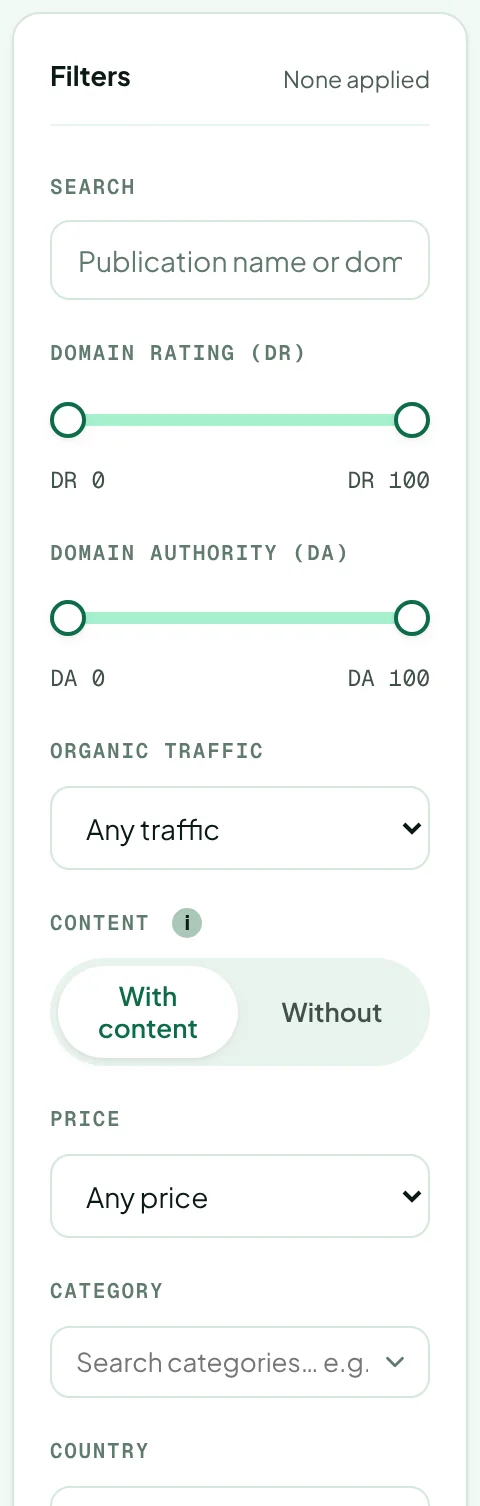
| Filter | What it does |
|---|---|
| Search | Find a publication by name or domain. |
| Domain Rating (DR) / Domain Authority (DA) | Drag both ends of the slider to set a range. See Domain Rating and Domain Authority. |
| Organic traffic | A minimum number of monthly organic visits. |
| Content | With content: prices include the article writing fee, because we write the article. Without: prices drop by the writing fee, for when you'll supply the finished article yourself. See Order with your own article. |
| Price | The most you want to pay per placement. |
| Category, Country, Language | Type to search, then click to add. Add as many as you like; click ✕ on a chip to remove it. |
| Format | Guest Post, Sponsored Post, Link Insertion, News / PR, Product Review and more. See guest post and link insertion. |
| Optimized for AI Visibility | Only publications with the AI badge. |
| DoFollow | Only (or no) dofollow links. |
Reset all filters at the bottom of the panel clears everything. The count above the list (“24 publishers match”) updates as you change filters.
Sort
Use the sort menu to order by highest or lowest DR, TF, traffic or price, or fastest turnaround. In list view you can also click the DR, TF, Traffic and Price column headers; click again to flip the direction.
List or cards
Switch between List and Cards at the top right. The list fits more publications on screen and lets you expand a row to preview it. Cards are easier to scan on a smaller screen.
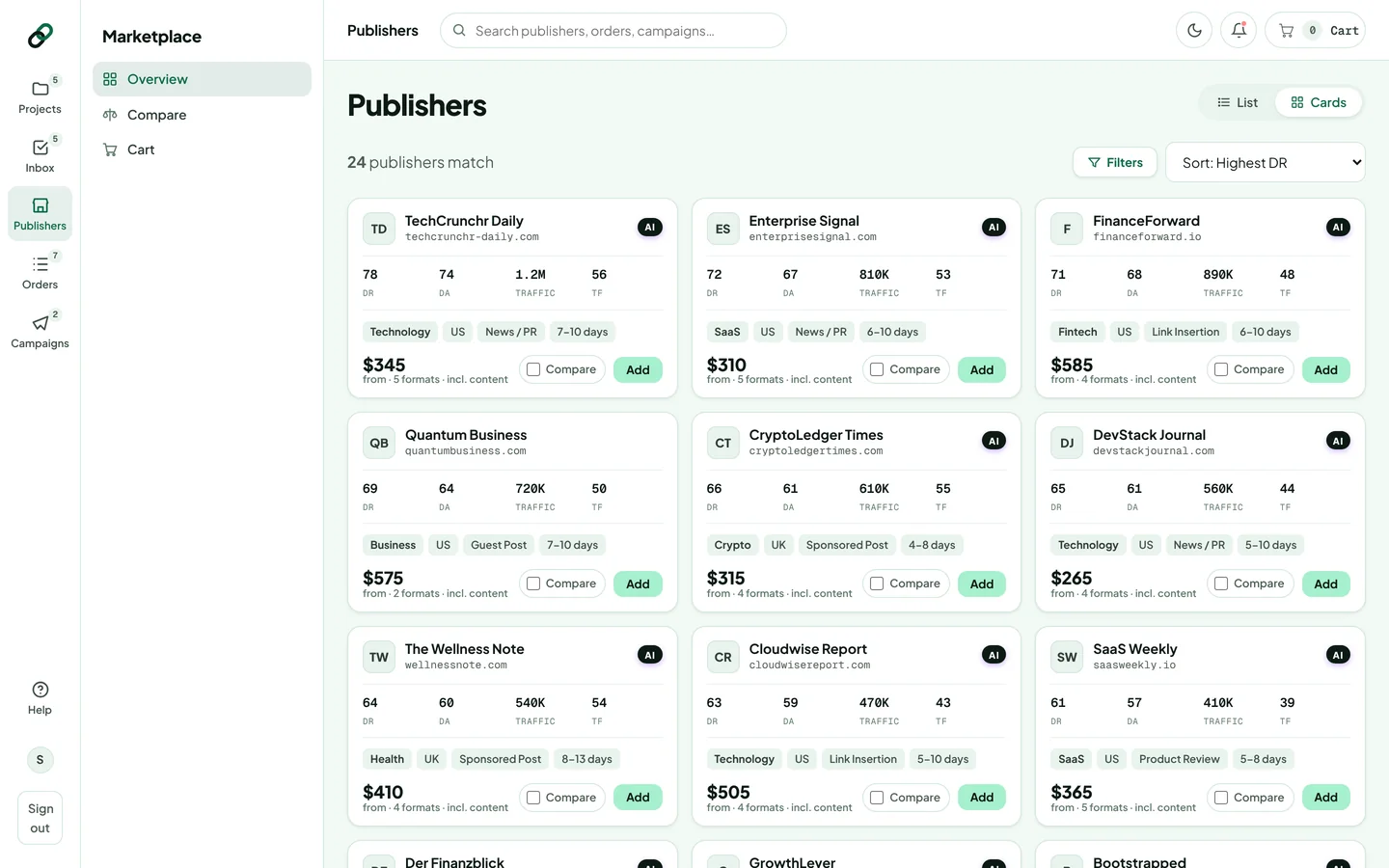
Scroll to the bottom and click Show more publishers to load the next page of results.
Next steps
- Tick Compare on two to four publications to compare them side by side.
- Open a publication to read its full metrics and risk check.
- Click Add to add it to your cart.
Thanks for letting us know.
Sorry about that. Tell us what was missing at hello@rankticker.com and we'll improve it.