Track rankings and backlinks
Use the Rankings and Backlinks tabs to find keywords close to page one, pages that need links, your anchor text mix and the link gap with competitors.
The Rankings tab
Open a project and click Rankings.
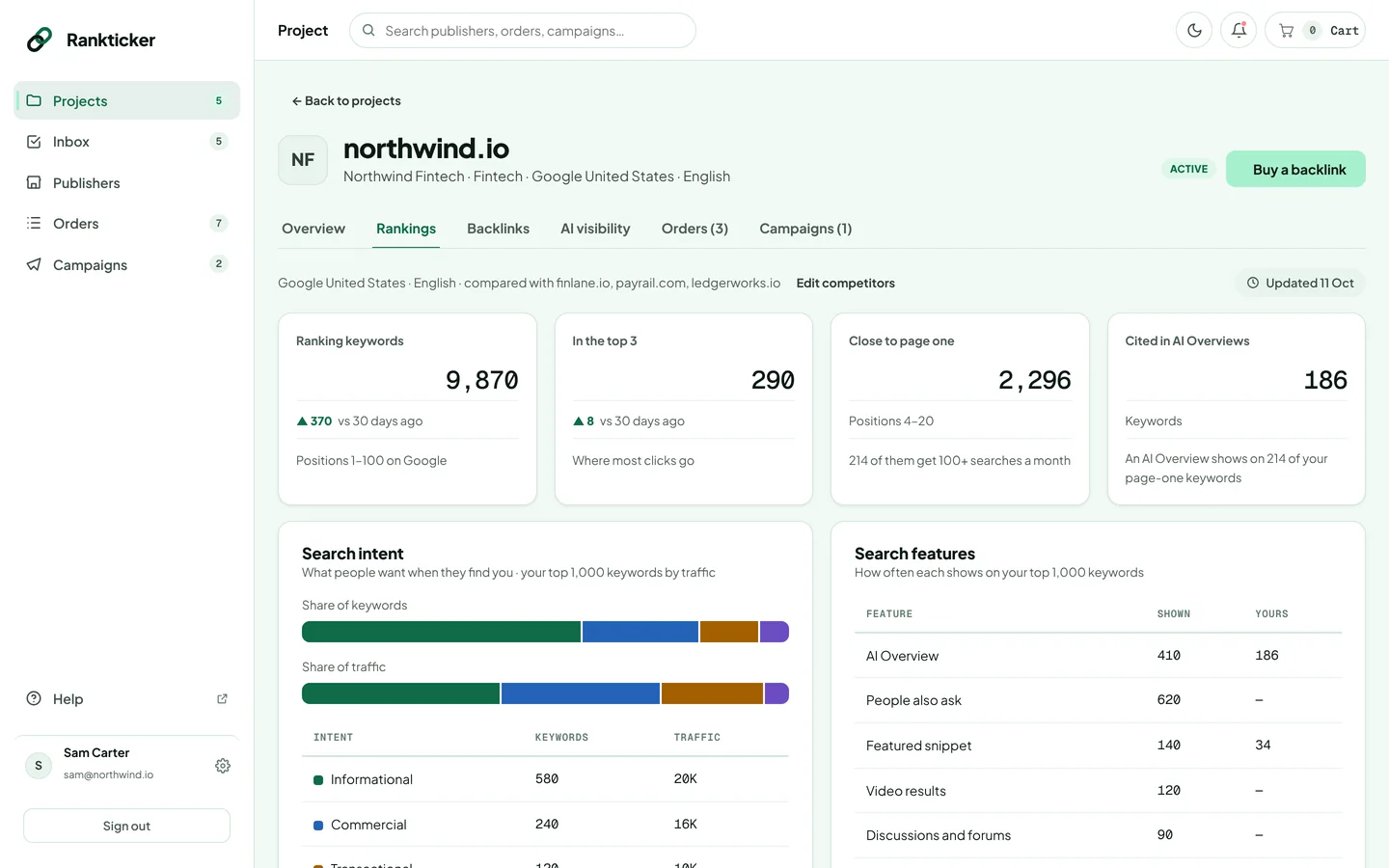
- Search intent and Search features: what people want when they find you, and how often results show features such as AI Overviews.
- Keywords close to page one: keywords in positions 4–20. These usually move fastest with a few good links to the ranking page.
- Top pages and Top keywords: where your traffic comes from.
- Keywords your competitors have: terms competitors rank for and you don't.
Use a page from “Keywords close to page one” as the target URL for your next order, and the keyword as a natural anchor text. See Fill in the brief.
The Backlinks tab
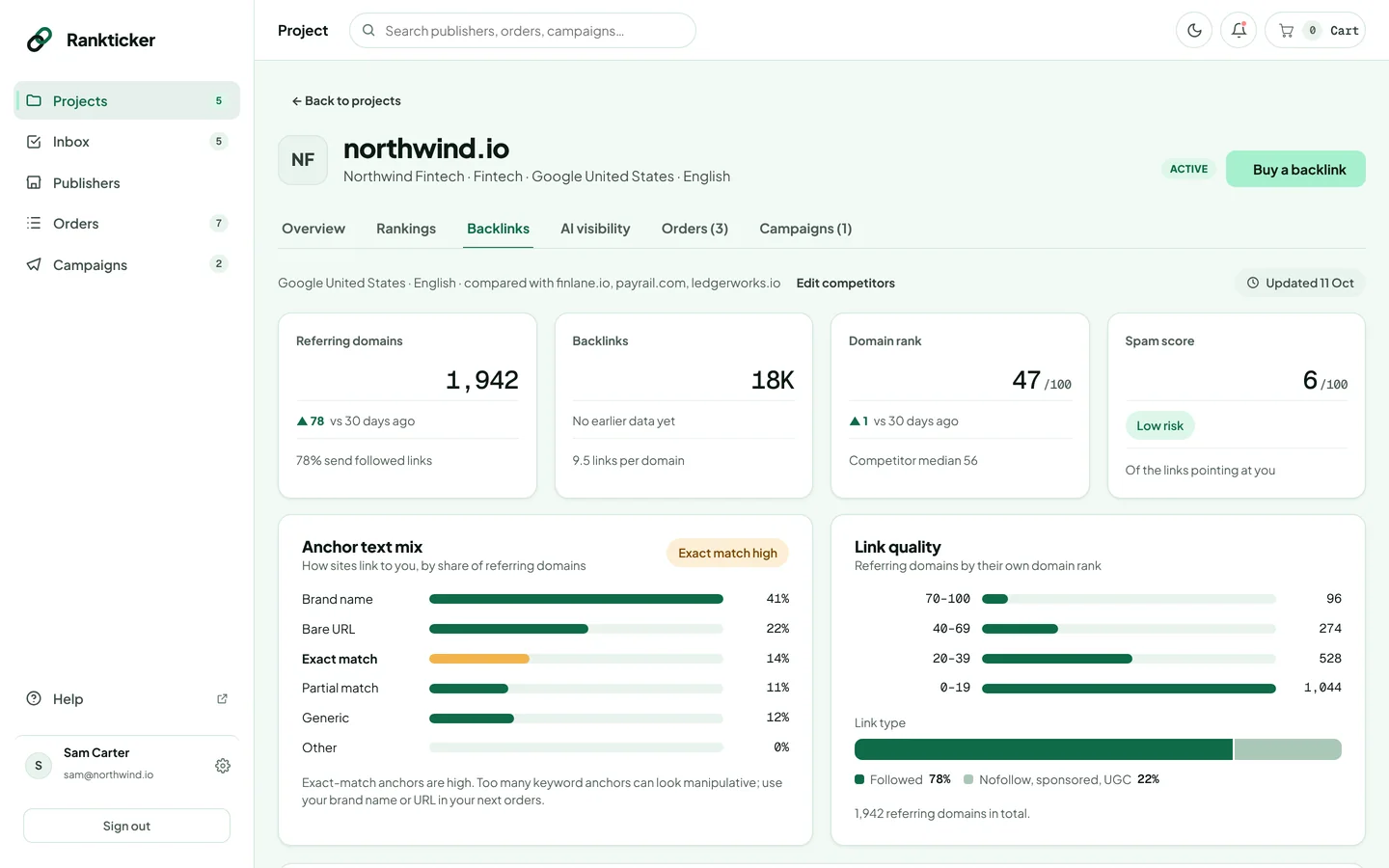
Click Backlinks to see your link profile.
| Section | How to use it |
|---|---|
| Referring domains, Backlinks, Domain rank, Spam score | The size, strength and risk of your profile at a glance. |
| Anchor text mix | How sites link to you: brand name, bare URL, exact match, partial match, generic. If exact match is flagged as high, use your brand or URL as the anchor in your next orders. |
| Link quality | Linking sites grouped by their own domain rank, and the split between followed and nofollow, sponsored or UGC links. See dofollow. |
| Link gap | Sites that link to your competitors but not to you. Tick Only sites on Rankticker to see the ones you can buy from directly. |
| Strongest sites linking to you | Your best links. |
| Recently lost | Links that disappeared. Worth checking whether a page moved or a link was removed. |
Placements you buy through Rankticker are also checked one by one in the order's Live Link Tracker.
Was this article helpful?
Thanks for letting us know.
Sorry about that. Tell us what was missing at hello@rankticker.com and we'll improve it.