Create a project
Add a website as a project: enter its domain and market, choose competitors, and let Rankticker collect rankings, backlinks and AI mentions.
A project is one website. Every order and campaign belongs to a project, and Rankticker tracks each project's rankings, links and AI mentions every week. Agencies usually add one project per client site; a company with a blog on a subdomain can add it as a second project.
Add a project
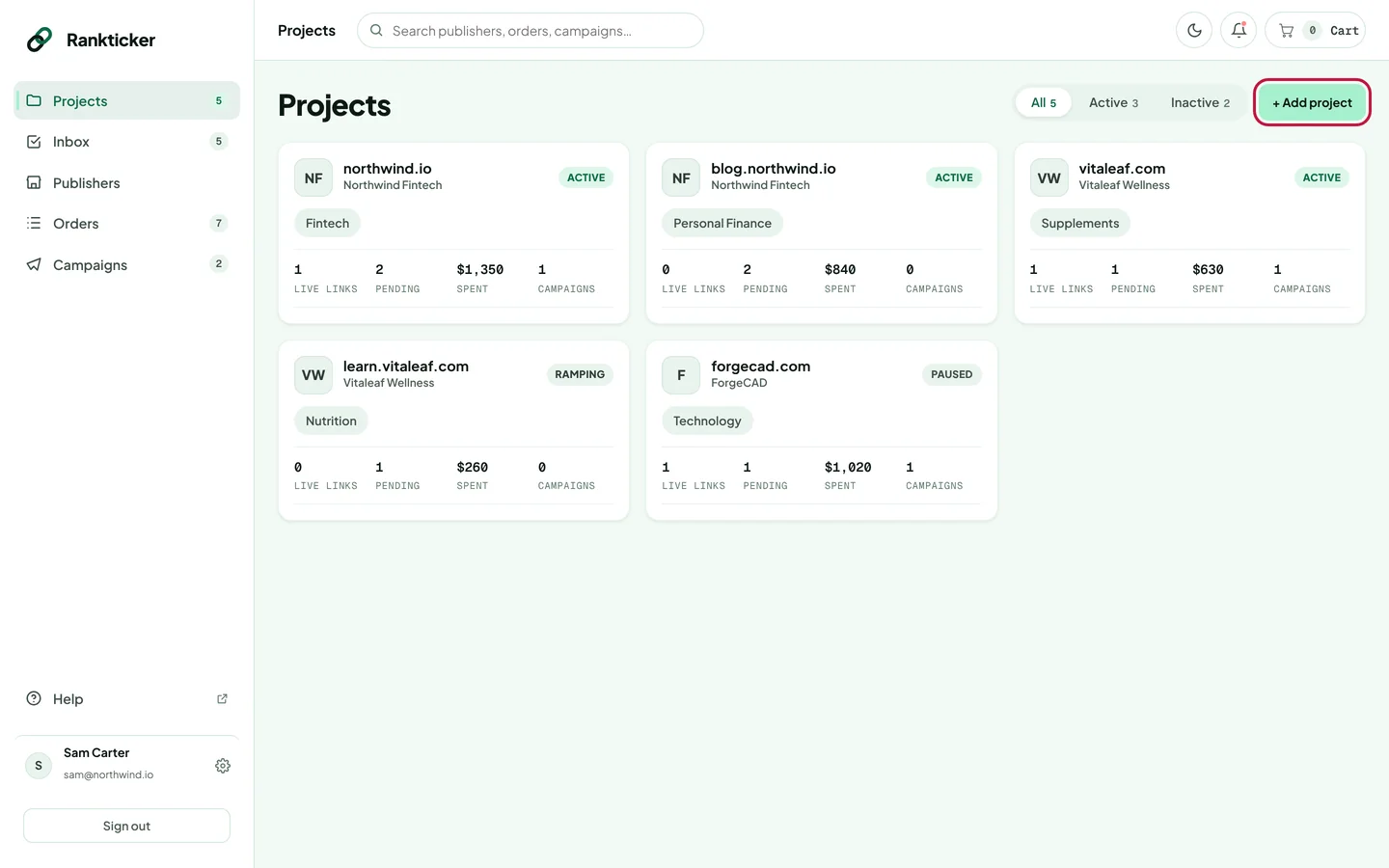
Click Projects in the sidebar, then + Add project in the top right.
Your site. Enter the website domain (for example
acme.com), the brand name and the primary niche. Choose the country and language where most of your customers search: rankings and traffic are measured in that market. Click Continue.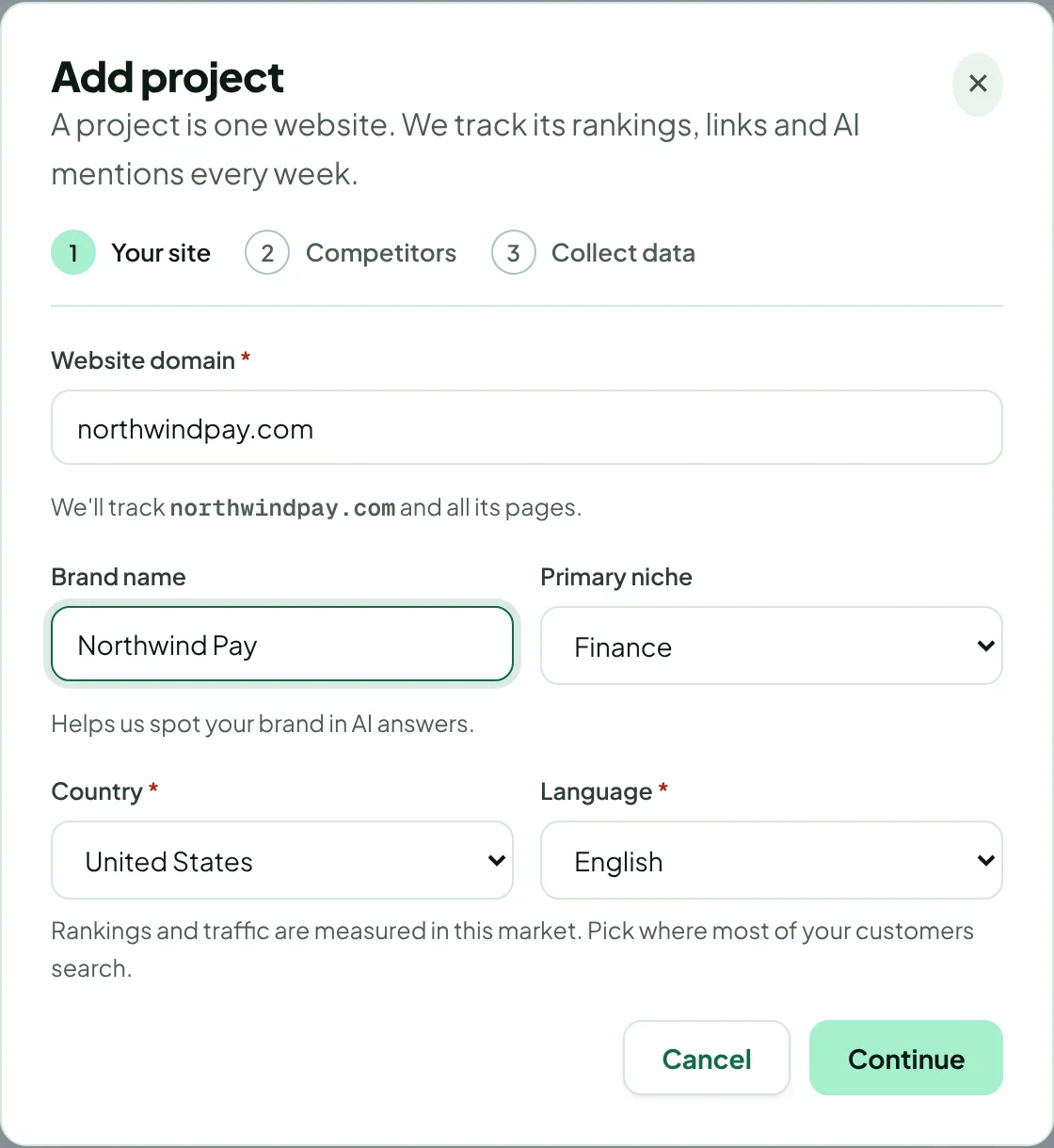
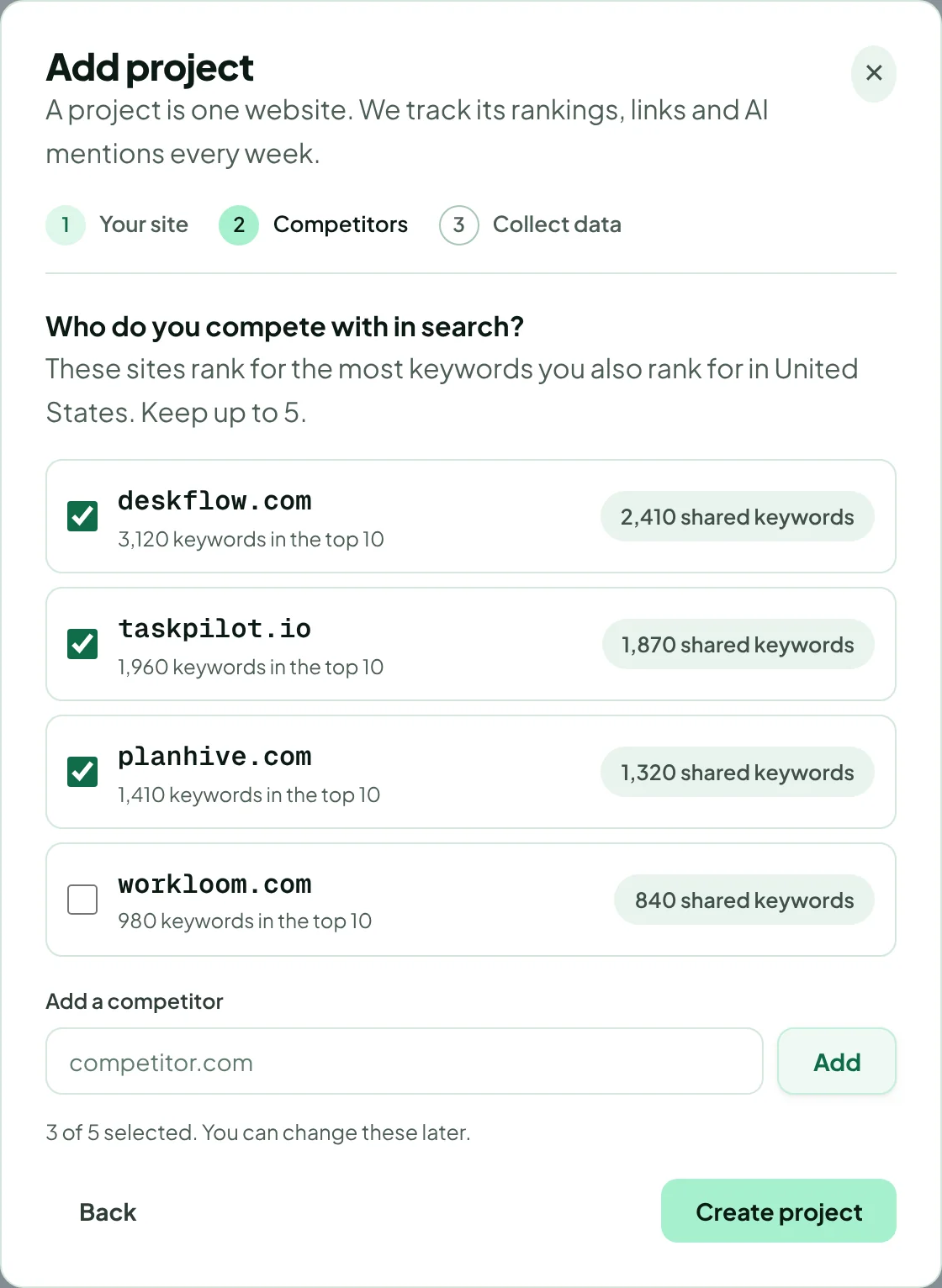
The brand name helps Rankticker spot your brand in AI answers. Competitors. Rankticker lists the sites that rank for the most keywords you also rank for. Keep up to five, or add your own with Add. Then click Create project.
Collect data. Rankticker pulls rankings and traffic, the backlink profile, competitor data, AI mentions and 12 months of history. This usually takes about a minute. You can close the window: the project's Overview fills in as soon as the data is ready.
The domain can't be changed once the project exists, because all of its history is tied to it. Double-check the spelling, and whether you mean www. or a subdomain, before you continue.
Add a project while checking out
In the cart, every placement needs a project. If the right one doesn't exist yet, choose + Create new project… in the project dropdown. The same dialog opens, and the new project is selected for that placement when you're done. See Fill in the brief.
Find and filter your projects
The Projects page shows a card per site with its live links, pending orders, total spent and number of campaigns. Use All, Active and Inactive at the top to filter. Click a card to open the project.
Common questions
Why does a project say “Add this project's domain”?
The project was created without a domain (for example from an older account). Enter the domain, country and language and click Start tracking.
The data collection failed. What now?
Rankticker retries automatically. You can also click Try again now. A project can be refreshed once every 24 hours.
Thanks for letting us know.
Sorry about that. Tell us what was missing at hello@rankticker.com and we'll improve it.