Track your live links
What the Live Link Tracker checks once an article is published, what Healthy, Needs review and Broken mean, and what to do about a problem.
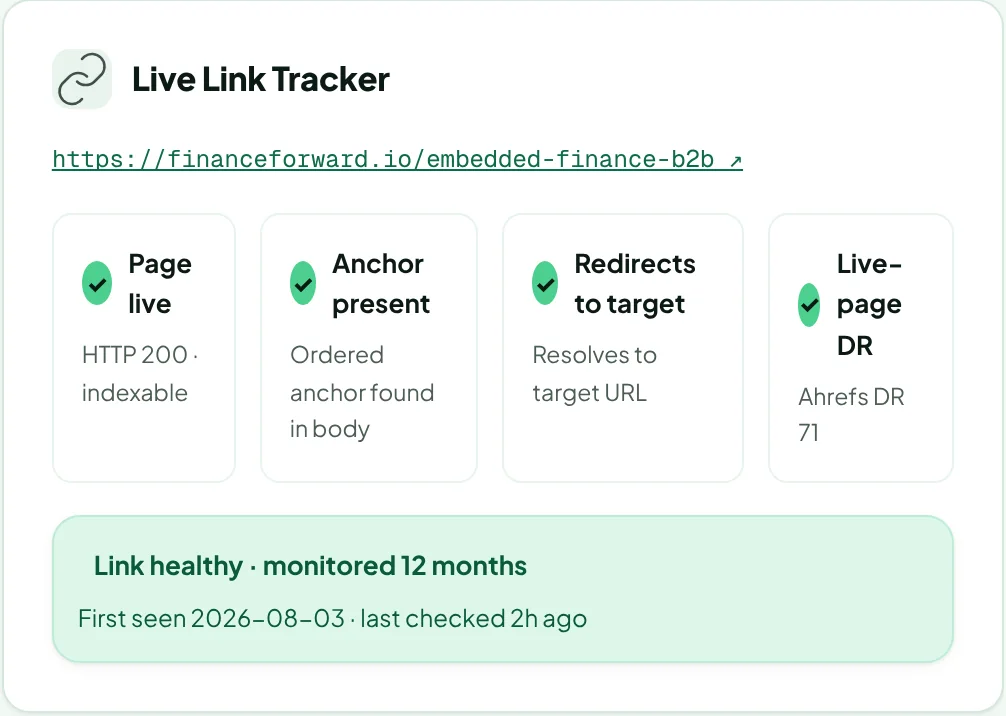
Once the publisher submits the live URL, tracking starts automatically. Open the order to see the Live Link Tracker. Learn more about link health monitoring.
The four checks
| Check | Passes when |
|---|---|
| Page live | The article loads (HTTP 200) and can be indexed. |
| Anchor present | The anchor text you ordered is in the article body. |
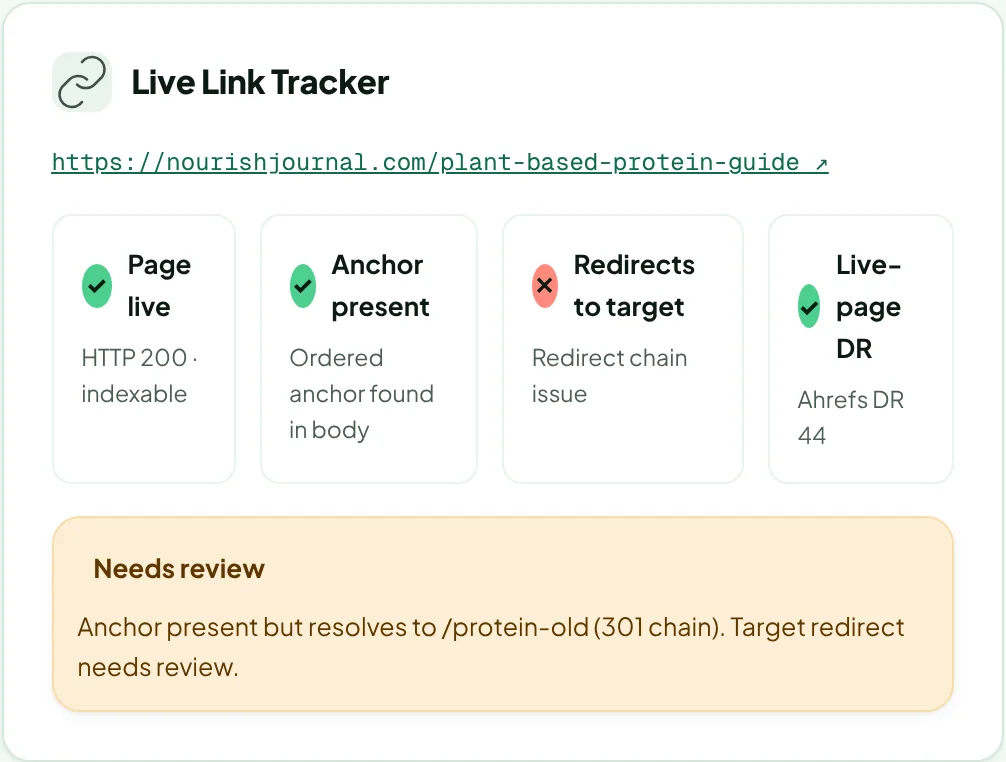
| Redirects to target | The link resolves to your target URL, without a broken redirect chain. |
| Live-page DR | Shows the Ahrefs DR of the page's site. |
When everything passes, you'll also see when the link was first seen and when it was last checked.
Link health
The same result appears as Link health in your order lists:
- Healthy: every check passes.
- Needs review: something needs a look, with an explanation. These also appear under Links pending review in your Inbox.
- Broken: the page or link is gone.
What to do about a problem
- If the problem is a redirect on your site, fix the redirect or tell us the new target URL in the order comments.
- If the page or link has gone, comment on the order or email us. See What happens if a link is removed.
Was this article helpful?
Thanks for letting us know.
Sorry about that. Tell us what was missing at hello@rankticker.com and we'll improve it.