Quick start: from sign-up to your first live link
The five steps to your first placement: add a project, find a publisher, fill in the brief, pay, and follow the order until the link is live.
This guide takes about ten minutes. By the end you'll have an order in production and know where to follow it.
1. Add your project
Go to Projects and click + Add project. Enter your website's domain, the country and language you want to rank in, and pick up to five competitors. Rankticker collects your rankings, backlinks and AI mentions in about a minute.
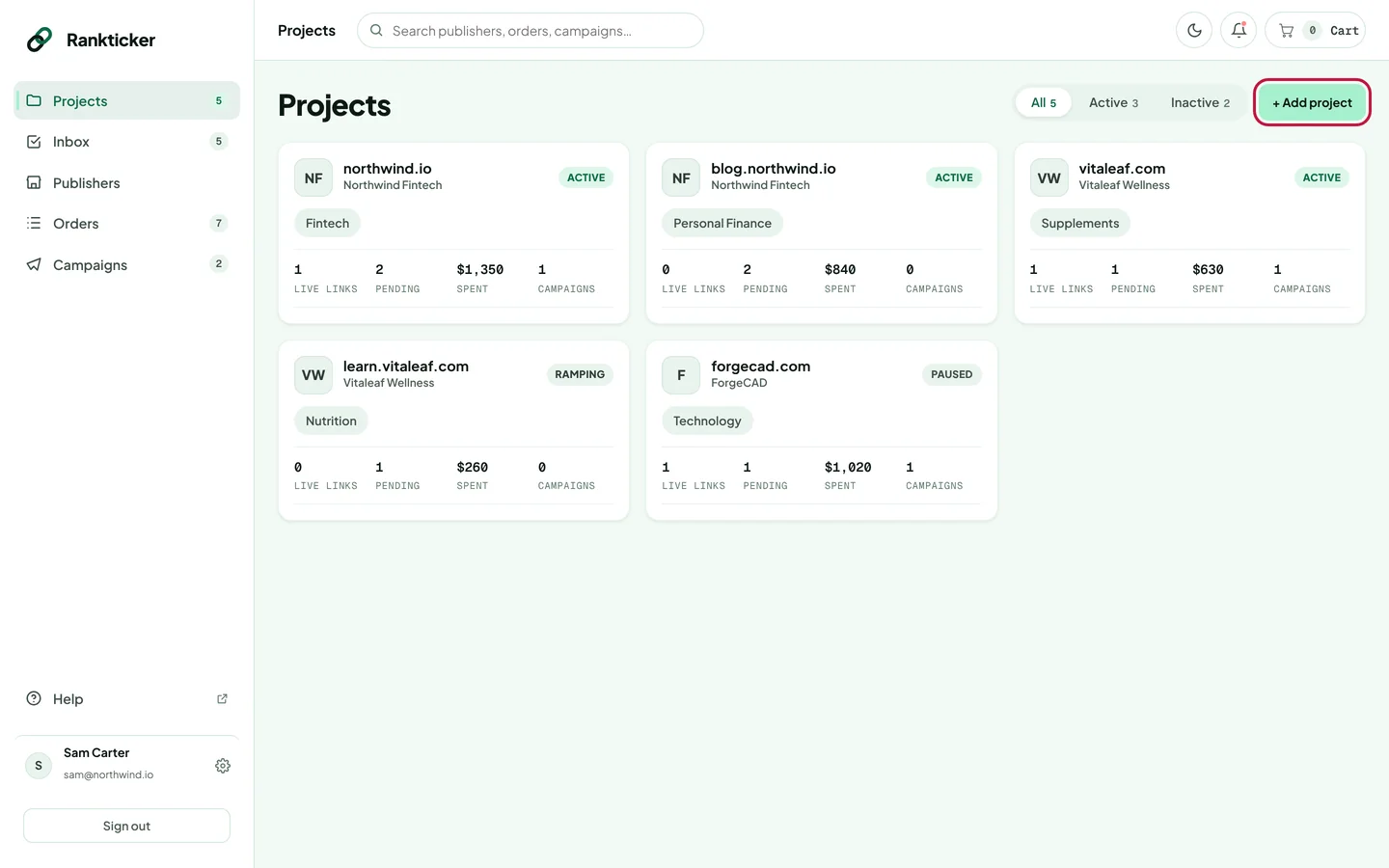
Full steps: Create a project.
2. Find a publisher
Open Publishers. Filter by Domain Rating, traffic, category, country, language, format and price. Click a row to preview the publication, or open its full metrics page to check traffic trends, backlinks and the risk check.
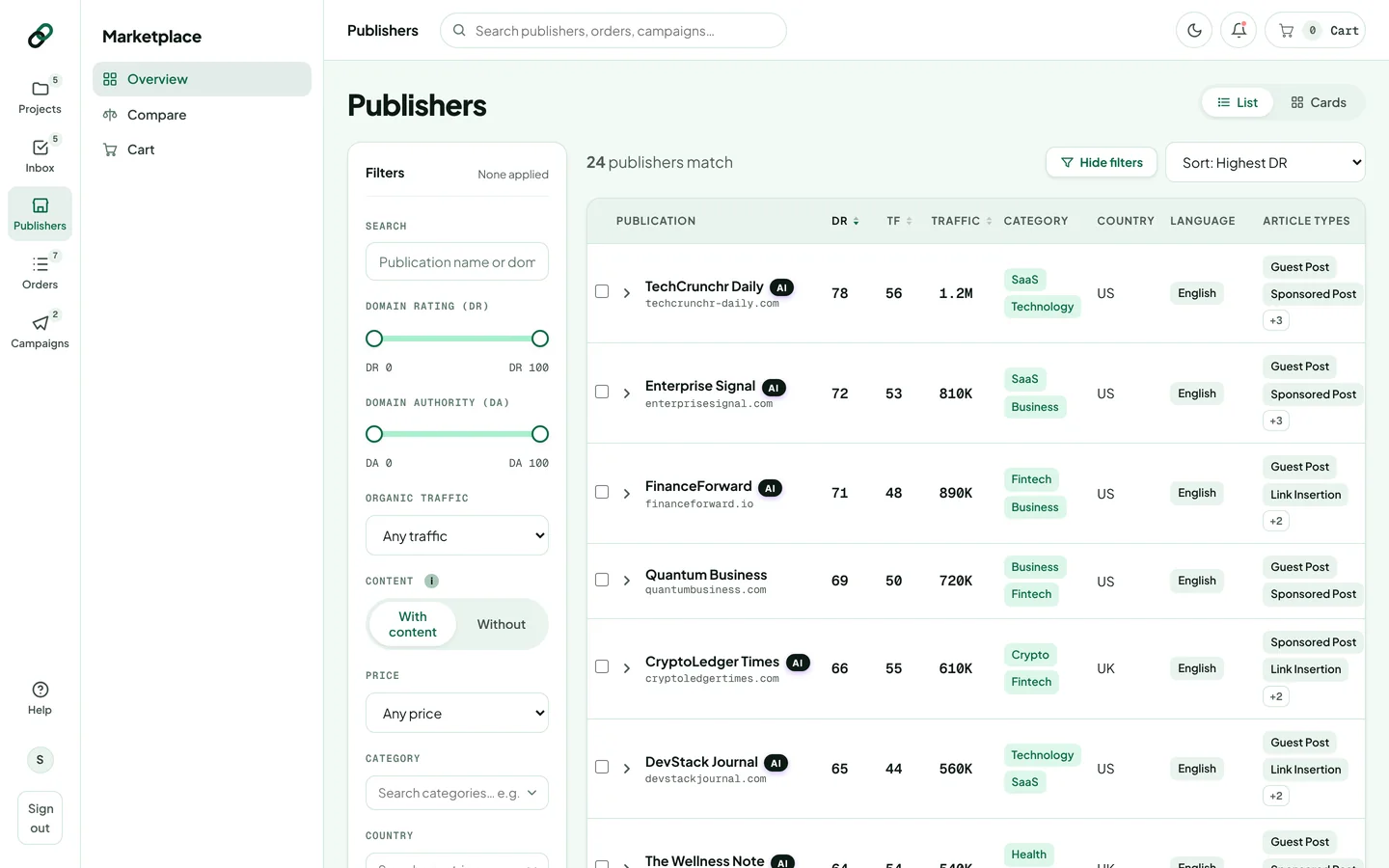
Full steps: Search and filter the marketplace and Read a publisher's metrics page.
3. Add it to your cart and fill in the brief
Click Add or Add to cart. At checkout, choose the format, the project, the target URL (the page the link points to) and the anchor text. Open Options to change the article length, add revisions, ask for a rushed order or supply your own article.
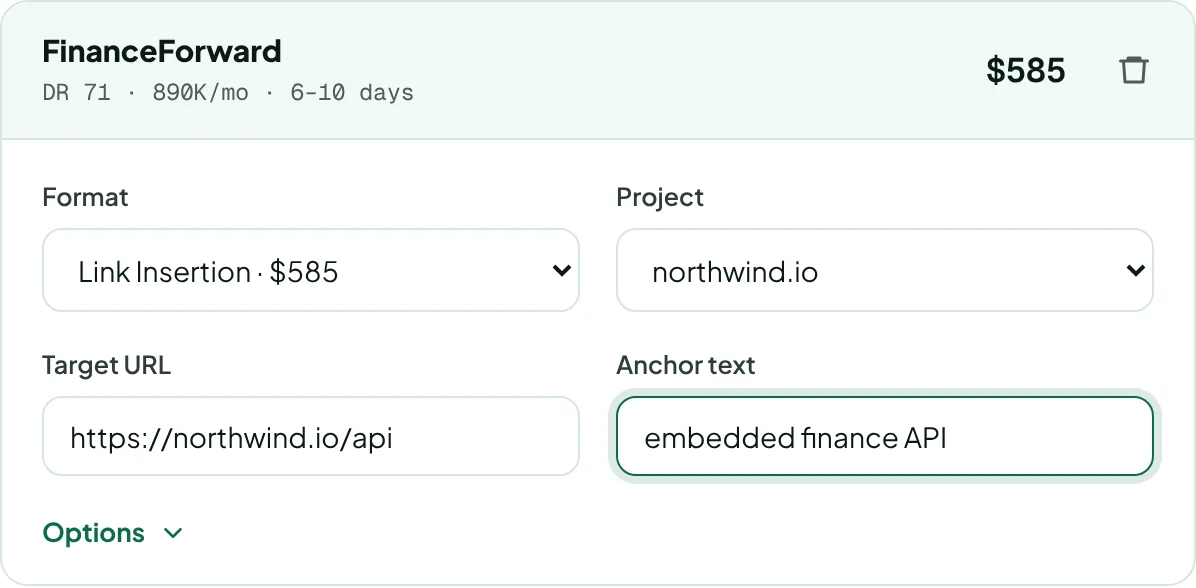
Full steps: Fill in the brief and Choose length, revisions and rushed delivery.
4. Pay
Check your billing details, choose card, Apple Pay or Google Pay, accept the terms and click Order. Payments run through Stripe. Your receipt appears in Settings → Billing.
Full steps: Pay for your order.
5. Follow the order until it's live
Every order goes through the same stages: placed, in production (topic and writing), chief editor review, publisher review, live. Anything that needs you, such as a draft to approve, appears in your Inbox. Once the link is live, the Live Link Tracker keeps checking it.
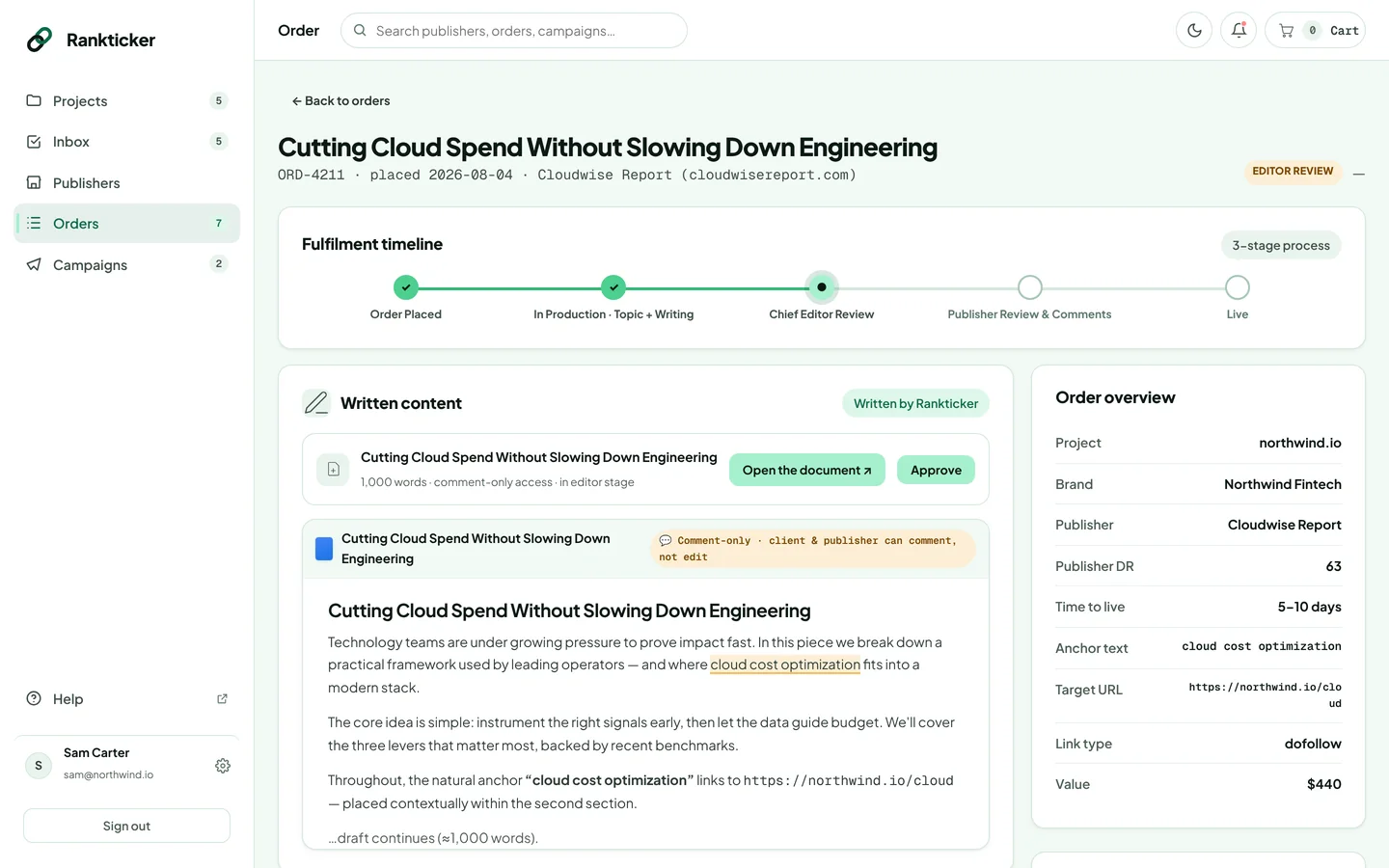
Full steps: Order stages explained and Review and approve a draft.
Want links placed every month without picking each one? Set a budget and rules once with a campaign.
Thanks for letting us know.
Sorry about that. Tell us what was missing at hello@rankticker.com and we'll improve it.